Apps Like Night Vision Camera: Dark Mode for iPhone and iPad
Capture low-light scenes with infrared and thermal
Take photos in low light using three modes. Capture infrared, X-ray, and thermal effects. Zoom in with binoculars and apply temperature effects. Adjust settings for optimal visibility in environments.
by APPAS SOLUTIONS, SOCIETATEA CU RASPUNDERE LIMITATA★ 4.3100 ratingsPhoto & Video$2.99Data updated 2026-10-04
Provides functionality with adjustable brightness for rear and front lights. Includes mode for visibility in low light or events. Features Morse code transmission for communication.
Identify human-like figures and uniform shapes using and depth sensor data. Apply exclusive filters to enhance visual effects. Adjust settings for depth perception and object recognition accuracy. Share modified videos directly from the .
The app captures photos and videos in low light conditions using a sophisticated algorithm. It offers a Maximal Amplification Mode and allows dynamic adjustment of camera sensitivity and zoom during recording.
Monitor , baby, pets, or office with real-time video streaming. Control pan and tilt movements remotely. Use infrared night vision for low-light visibility. Communicate via built-in two-way audio. Connect to Wi-Fi and power source for instant setup.
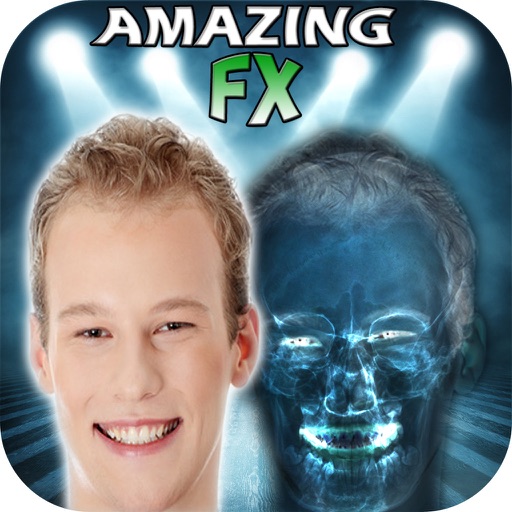
The app allows users to create simulated X-Ray Filter Photographs, Night Vision Filter, Infra-Red, and See-Through Vision Filter FX. Users can apply these effects to new or existing photographs from their library and share them.
Adjust exposure settings with precision, including extended sensitivity and independent calibration. Measure incident and reflected light. Save exposure data. Connect with f/Tools. Choose between two interface designs.
Record videos and take photos discreetly using fake backgrounds to hide the . Monitor motion with a sensor to automatically save footage. Set a photo timer for interval shots. Share captured media directly.
Capture photos with filters and adjust sensitivity for creative control. Save and share edited images directly to device storage or social media. Use an intuitive interface to edit without technical barriers.
View live footage, playback recordings, and receive
Access camera feeds via remote connection using P2P, domain, or static IP. View live footage, review recorded videos, and receive push notifications. Control camera settings and manage playback options.
Edit photos with advanced filters, manual exposure control, and RAW format support. Adjust color, brightness, and contrast. Crop and straighten images. Share edited photos directly to social media or email.
Record using both front and back cameras simultaneously. Capture picture-in-picture footage with one camera. Save videos to the photo library for easy management, sharing, and deletion. Enable night mode for improved lighting.
Allows users to zoom in on objects with adjustable magnification levels. It includes a built-in flashlight for better visibility. Users can capture and save images of magnified details.
Capture photos and videos with real-time filters applying effects during recording. Adjust filter position by tapping, swiping, or pinching. Edit videos with multiple filter styles ranging from funny to artistic. Share edited content directly.
Help users understand how to capture better landscape photos by learning about natural light sources and optimal angles. Provide guidance on timing, positioning, and lighting conditions for ideal shots.
The app processes iPhone camera preview in real time with effects like sketch, sepia, and thermal camera. Users can choose front or rear cameras and save or share photos.