Apps Like Reverse Video - Play Backwards for iPhone and iPad
Videos and adjust speed
Convert videos to with audio reversed. Adjust playback speed for customization. Export and share reversed videos to social media or save to the camera roll.
by Arthur Eduardo Skaetta Alvarez Desenvolvimento de Software LTDA.★ 4.6255 ratingsPhoto & VideoFreeData updated 2026-10-25
Allows users to cut, delete, and reverse clips. Apply real-time beauty filters and crop videos with white space. Rotate, flip, or merge multiple videos. Add music from a library and convert videos to GIF or live photo formats.
Play videos in -in- mode from YouTube, any stream URL, or the Photos . Create and auto-play playlists without interruptions or ads. Add videos to a Favorites list.
Convert videos to high-quality images by importing files from your library. Scroll through to find the shot. Save selected images directly to your device.
Trim, cut, or merge videos and images from your gallery or camera. Adjust playback speed and extract audio from videos. Convert videos to GIFs for sharing. Apply blur, color, and other effects to videos. Export and share edited content directly.
Record using the microphone and stop recording by releasing the hold. Apply various effects like woman, robot, or echo. Adjust video playback speed and add effects to videos. Export as audio or video files in HD resolution.
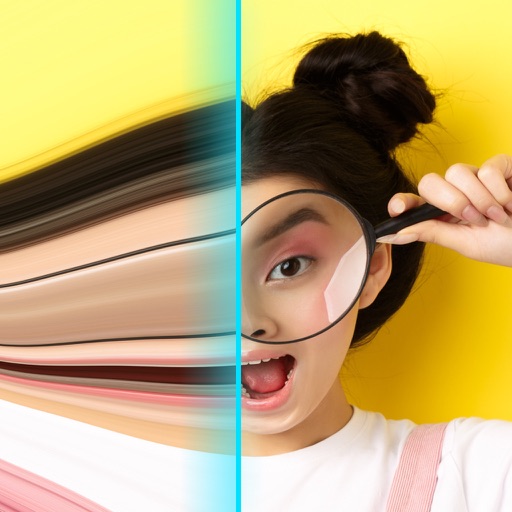
Record videos with - effects by capturing footage and adjusting scan speed, direction, and timer. Freeze or stretch specific parts of the frame to create surreal visuals. Share the edited videos directly from the .
Watch X() videos in high quality without login. Stream content directly. No subscription required. Access videos from the X platform. Share videos via social media. Save videos for offline viewing.
Play videos in various formats without conversion. Support downloading files to the device. Browse SAMBA/FTP/UPnP/DLNA shares over the network. Adjust playback settings and manage media library.
Arthur Eduardo Skaetta Alvarez Desenvolvimento de Software LTDA.
Watch videos, listen to music, and work
Enables simultaneous use of two apps in mode. Users can browse websites, check emails, upload photos, post on social media, message friends, work, research, shop, or manage tasks.
Import videos and apply effects with presets like Small Room, Medium Hall, or Cathedral. Adjust Wet/Dry settings or create custom and delay. Export as original size, lower file size, or audio-only. Save or share the processed .
Edit videos by adjusting playback with points. up or slow down specific segments for creative effects. Preview and refine timing before finalizing edits. Share edited videos directly.
Repost photos to Instagram with captions and watermarks. Generate hashtags using AI. Save and organize links. Create QR codes for quick sharing. Preview and edit content before posting.
Join and merge videos from your album or camera. Preview merged results instantly. Trim and cut clips by selecting start and end times. Share the final directly.
Edit photos and videos with customizable , presets, and effects. Add grain, dust, blur, and dark effects. Adjust colors and create atmospheric effects. Share edited content directly.
Split videos into customizable 15-second clips. Save high-quality clips to the photo library. Choose from predefined durations or set custom lengths. Share clips directly to social media platforms.
Using custom transitions. Select or from the library. Apply dissolve or fade transitions between clips. Adjust volume and trim video clips. Set photo durations and choose orientation. Save to Camera Roll or share to social media directly.