Calculate with a that supports basic and advanced functions. View calculation history for reference. Copy results to clipboard for quick use. Use split view for multitasking on iPad.
by Przemyslaw Skowronek★ 4.6194 ratingsUtilitiesFreeData updated 2026-10-19
Calculate tips with preset percentages (5%, 10%, 15%, 18%, 20%) and a custom slider for any amount. Round totals to the nearest dollar. Split bills among 1-99 people. Adjust splits in real time as inputs change.
Generate strong passwords with customizable length and character types. Create and copy passwords directly. Share passwords via Notes, Messages, or copy to clipboard. No storage or transmission of passwords.
The app turns an iPad into a ruler for measuring small objects. It offers imperial and metric scales, adjustable ruler lines for comparison, and various color schemes.
The app reads CHM (Microsoft Compiled HTML Help) documents and ebooks. It supports file management, including copying, moving, deleting, and renaming files and folders.
Edit formulas, check calculations, reuse past entries
Calculate mathematical expressions with formula input and real-time validation. Edit formulas by tapping or using arrow keys. Reuse previous formulas to update values and recalculate.
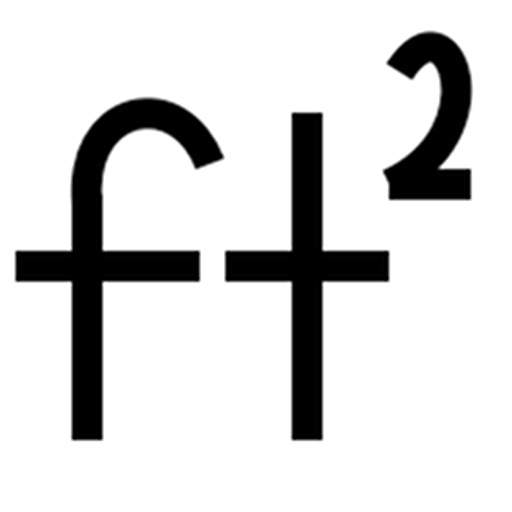
Calculate footage by entering length and width for multiple rectangles. Support measurements in , inches, or both. Export calculations as CSV for further use.
Calculate , , or with simple input fields. Switch between units like mph, km/h, and m/s. Save calculation history for quick reference. Share results via email or messaging.
Allows users to perform basic and advanced calculations. It features a retro-modern design and supports scaling for iPhone and iPad screens. It works in split view and slide over modes.
Study medication information with detailed drug lists including brand and generic equivalents. Access outpatient and inpatient drug databases. Review medication classes and indications. Use conversion tools for dosing calculations.
The app provides full emulation of the HP50g calculator with its original skin. Users can save and load calculator states, transfer files, and copy/paste results.
Learn about structure stages with detailed diagrams and explanations. Explore example proteins showcasing structural aspects. View unique properties and functional roles of each .
Clipboard manager allows copying, pasting, and organizing text, media, and snippets. Store frequently used content and access it quickly. Create shortcuts for repetitive tasks. Auto-paste functionality reduces manual typing.
Split videos into segments with customizable lengths. Predefined formats for Instagram Stories, WhatsApp Statuses, and Snapchat Snaps. Export individual parts for social media sharing.
Edit files including TXT, RTF, RTFD, HTML, XML, and markdown. View and modify formatting details like font, size, color, and alignment. Preview HTML and markdown in real time. Access files from device storage or cloud services.