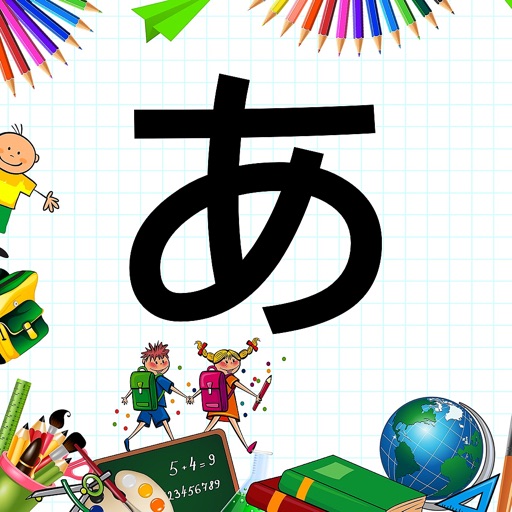
Learn hiragana with customizable cards and difficulty
Teaches hiragana through interactive games and visual cues. Adjust difficulty levels for individual needs. Create custom cards with favorite items. Prevent accidental wrong answers with customizable settings.
by YUUKI UCHIYAMA★ 5.01 ratingsEducationFreeData updated 2026-10-13
The app helps create customizable choice boards for individuals with communication challenges. It offers adjustable features and allows users to download their own pictures and sound files for personalized activities.
Learn through interactive games and quizzes. Answer questions with audio narration and visual prompts. Receive explanations from Haley, a expert. Track progress with lesson-based challenges. Sync with Apple Health for activity tracking.
Create flashcards directly from the English-Russian Dictionary. Save cards to the by holding and tapping "Save cards here." Edit using the proficiency indicator. Organize into four levels: Dictionary, Group, and custom categories.
The app offers four animal-themed games: Matching Pictures, Bingo!, Find me!, and Animatch. Users can adjust settings for letter case, word length, and difficulty.
Play classic games with customizable virtual controls and screen settings. Save and load progress quickly. Access online rankings and compete with others. Adjust difficulty levels to replicate original gameplay.
Teach children vocabulary through interactive activities. Explore 18 categories including alphabet, numbers, colors, shapes, and animals. Include sound effects and visual cues to enhance .
Practice division with adjustable difficulty levels.
The app offers division practice with three difficulty levels: easy, medium, and hard. Users can customize the number of problems presented in the settings.
Teaches numbers through interactive games. Children choose between two scenes: an underwater world or a panda hunting scene. Features include counting objects, matching numbers to quantities, and simple arithmetic exercises.
Teaches children through interactive bug characters. Features include matching games, word recognition, and progress tracking. Includes 25 new bugs and aligns with previous apps in the series. Encourages parental involvement in learning activities.
Skill-building activities include interactive games and tools for linguistic, cognitive, and educational development. Progress tracking allows users to monitor growth and achievements. Customizable learning paths adapt to individual needs and goals.
Create personalized New greeting cards with customizable designs and messages. Share wishes with contacts. Play festive games for entertainment. Track the New countdown with a customizable timer.
Create and take customized exams based on selected topics and difficulty levels. Access explanations from church fathers and resources. Build quizzes with multiple question types and review rationales for answers.
Learn kanji, hiragana, and katakana through interactive exercises. Practice character recognition with a rolling test. Track progress with built-in quizzes and review sessions. Sync study sessions across devices.
Learn and with interactive lessons and quizzes. Explore taxiway and runway symbols. Study PAPI, VASI, and light configurations. Use a night mode to simulate lighting. Receive feedback on answers and understand visual cues.
Guess a randomly generated using lexical and deductive logic. Receive X's for correct letters in the right position and O's for correct letters in the wrong position. Choose from five difficulty levels based on length.
Learn Japanese basics, hiragana, katakana, and arithmetic through interactive games. Practice writing and have it checked automatically. Play puzzles, drawing, mazes, and piano games. Access 7+ free stages with optional full edition purchase.