Apps Like A&D: Photo & Video Filters for iPhone and iPad
Apply , add effects, edit photos
Edit photos and videos with customizable , presets, and effects. Add grain, dust, blur, and dark effects. Adjust colors and create atmospheric effects. Share edited content directly.
by Anna Zhikhareva★ 4.8504 ratingsPhoto & VideoFreeData updated 2026-10-11
Edit photos with brightness, contrast, and color adjustment tools. Apply over 1000 effects and filters. Add text, stickers, and animations. Share photos directly to social media or email. Export in various formats.
Edit photos with AI-enhanced upgrades, color balancing, and lighting adjustments. Retouch skin and remove blemishes automatically. Adjust exposure, contrast, and clarity with one tap. Export edited photos in high resolution and share directly.
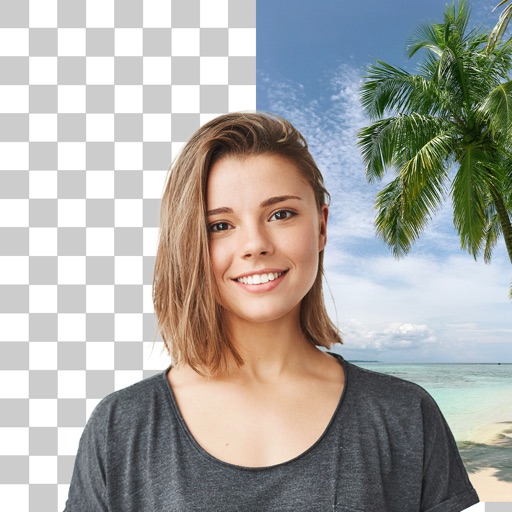
Edit photos with AI-powered background removal and custom background options. Apply artistic effects like cartoon styles. Enhance portraits with AI adjustments. Export edited images in various formats.
Add , emojis, or pixelation to hide faces in photos. Automatically detect faces and apply chosen effects. Choose from fun stickers or privacy-focused filters. Edit and save modified images directly.
Edit photos with 200 unique filters and effects. Adjust brightness, contrast, and saturation. Add text, stickers, and borders. Crop and rotate images. Export in multiple formats and share directly.
Edit photos with 50+ filters and flare effects. Adjust contrast, brightness, saturation, and exposure. Add text with custom fonts and colors. Apply splash effects with multiple shapes and background blur. Save and share edited photos.
Apply filters to photos and videos for enhanced visuals. Choose from hundreds of professionally crafted filters organized by category such as Black & White, Selfie, Food, and Vintage.
Apply AI-powered filters by imitating styles from other images. Adjust brightness, exposure, contrast, highlights, shadows, saturation, vibrance, temperature, and tint for detailed edits. Export edited photos in multiple formats.
Edit photos with cropping, filters, and adjustments. Remove unwanted objects or people using the Magic tool. Replace backgrounds to create montages. Create collages with pre-designed templates. Export edited photos in multiple formats.
Add frames, patterns, colors, and blur effects to profile pictures. Adjust background color and apply instant DP borders. Resize and rotate images for Instagram. Post full-size photos without cropping. Create images for social media.
Capture photos with real-time filters mimicking 35mm film, Polaroid, and point-and-shoot cameras. Apply grain, color shifts, and film textures. Adjust exposure, contrast, and saturation. Save and share edited photos directly.
Edit images with blur, watermarking, and mosaic tools. Apply batch processing and circular brush effects. Adjust videos with blur, watermarking, and mosaic. Add music, stitch videos, and apply covers.
Edit photos and videos with AI-powered filters, 100+ templates, and 20+ glitch effects. Adjust colors using HSL, RGB, and color-tuning tools. Apply AI makeup and export edits in various formats.
Background of photos with adjustable effects. Remove unwanted objects or faces. Edit photos with enhancer tools. Unblur accidentally blurred sections. Access a large catalog of effects.
Edit photos with single-tap filters, brightness, opacity, contrast, blur, and focus adjustments. Rotate, crop, and resize images. Share to Facebook, Twitter, or Instagram. Save to photo library or send directly.