Capture photos or select from photo albums for identification. Recognize species using international classification standards. Utilize deep learning AI for accurate and detailed recognition results.
by 锦锋 仇★ 0.00 ratingsPhoto & VideoFreeData updated 2026-10-08
The app moves photos, videos, and Live Photos from a computer into the Photos app on an iPhone or iPad. It preserves original quality, capture dates, and locations when available, transferring over Wi-Fi using a web browser.
The app allows users to add unicorn-themed graphics to photos. Users can select or snap a photo, add horns, sparkles, rainbows, and glitter farts, and then share the edited image.
Create and send personalized greeting cards, photo albums, and custom products. Choose from various templates and add photos, text, and designs. Share via email or social media. Edit and customize layouts with drag-and-drop features.
Organize and manage photos with AI-powered classification and labeling. Compare images to find similar ones. Delete duplicates to free storage space. Create or sort into albums for better organization.
Edit photos, remove backgrounds, generate new ones
Remove photo backgrounds using AI-powered tools. Edit or replace backgrounds with new ones. Export as high-quality PNG images. Share edited photos directly.
Identify and delete photos and similar images. Compare files based on visual similarity. Organize and manage albums. Free up storage space and improve device performance.
Allows guests to take photos with Photo Booth, record videos, answer quiz questions, and write or draw. Features include customizable options for photo and video capture, interactive quizzes, and guest participation without supervision.
The app allows users to create personalized iPhone wallpapers using photos, calendars, memos, and stickers. Users can add custom stickers and save their designs to the photo album to set as wallpaper.
Faces in photos using AI technology. Select two images, align and blend faces automatically. Edit and share the resulting images. Adjust positioning and brightness for better results. Export edited photos in various formats.
Edit photos with filters, collages, and stamps. Add text and stickers. Save to albums. Share directly to blogs and social media. Apply toy camera effects. Adjust brightness and contrast. Crop and resize images.
Apply special to photo backgrounds using AI and neural networks. Automatically separate foreground and background objects. Utilize dual camera or TrueDepth features for enhanced background splitting. Adjust and apply directly within the .
Capture photos with automatic time, date, and GPS location stamps. View customizable AR overlays and map locations for each image. Use for travel, documentation, or journaling with accurate geotagging and visual tracking.
Apply Lightroom to enhance photos with one tap. Choose from packs like Golden Hour, Film Look, and Moody Days. Access new styles regularly to update photo edits.
Create 30-second videos using photos and videos. Apply animation effects and templates. Select photos to generate lyrical videos. Export and share full-screen video .
Capture photos with a vintage camera style, mimicking Fuji, Hasselblad, and Ricoh colors with visible grain. Retouch images using HSL adjustments, curve controls, defogging, and photo framing tools. Export edited photos directly.
Photos to reduce file size without losing quality. images to fit specific dimensions for social media or web use. Organize gallery by managing photo sizes and formats.
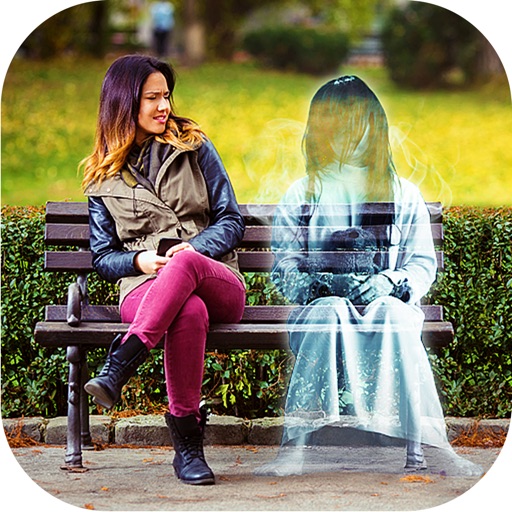
Add ghosts to and using preloaded frames. Select images from the gallery or capture live . Create scary Halloween pictures with effects and UFO or Bigfoot themes. Share edited directly.
Swap faces in videos and photos using AI technology. Upload images or videos and generate personalized content with pre-designed templates. Edit swapped faces for accuracy and export final results.
APPAS SOLUTIONS, SOCIETATEA CU RASPUNDERE LIMITATA
Capture photos and videos in low
Capture photos and videos in low- conditions using advanced technology. Adjust brightness and color settings manually or automatically. Record live view with enhanced clarity and color. Share edited media directly from the .