Apps Like Photo Presets — for Lightroom for iPhone and iPad
Edit photos with creative
Edit photos using 300+ unique , with daily additions and categories for easy navigation. Apply filters, adjust colors, and save edits. Export photos in various formats. Access all with FLTRUM Pro.
by Aleksandr Alekseev★ 4.125 ratingsPhoto & VideoFreeData updated 2026-10-06
Edit photos by transforming them into scenes with one tap. Apply animated night sky effects using Timelapse Technology. Detect skies with BrainFeverAI and enhance with high-resolution content. Export edited images directly.
Edit photos with advanced filters, dynamic effects, and precise adjustment tools. Add text, stickers, and overlays. Export in various formats and share directly to social media or cloud storage.
Create videos from photos automatic styling and customization. Add stickers, text, and frames. Choose animation modes and apply filters. Share the final directly.
Capture photos with realistic film grain, cinematic halation, and a rich color palette. No live filters or editing tools. Share directly from the without additional steps.
Edit profile photos with customizable borders and filters. Upload and adjust images for Clubhouse profiles. Share edited photos directly to gain more attention and impressions.
Add to photos and videos. Apply glitter during capture or from the roll. Adjust intensity with a slider. Swipe to switch . Repost to Instagram. Share edited content directly.
Edit photos with text layers, borders, matting, rounded corners, 3D bevels, and shadows. Adjust cropping ratios and apply internal and external shadows. Share edited photos directly to social media.
Edit photos by removing unwanted elements like , skin blemishes, buildings, and lines using AI technology. Crop images and videos with high quality. Eliminate dark spots and acne from faces or bodies. Adjust and enhance images for a polished look.
Turn photos into paintings using 30 brush presets and 500+ bitmap brushes. Adjust stroke settings including size, rotation, shadow, and opacity. Support layers and import Photoshop brushes. Export and share edited artwork.
Upload photos from the gallery or camera to try on various styles. Browse nose, ear, lip, and eyebrow designs. Adjust size, position, and angle of each . Save or share customized edits.
Edit videos with trimming, splitting, rotating, flipping, reversing, deleting, and duplicating clips. Merge videos, photos, and live photos. Reorder clips as needed.
Create videos with 3D objects and glitch effects using personal images and videos. Apply 200 grid presets to objects and adjust divisions and intensity. Blend images, set background images, and control object transparency.
Edit photos with AI-enhanced retouching, object removal, and face refinement. Adjust skin, hair, and eyes for portraits. Save high-quality images and share directly.
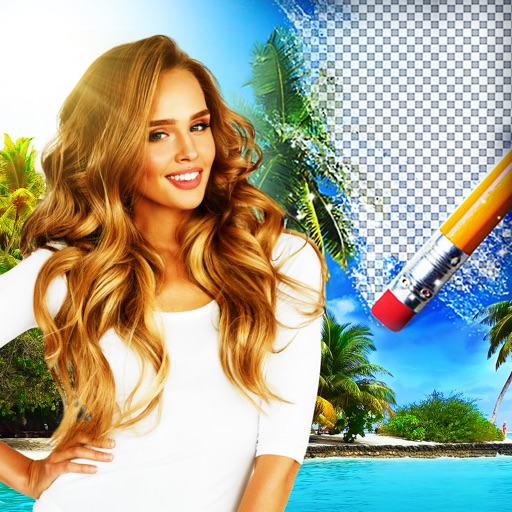
Edit photos by removing backgrounds using AI-powered . Select images from gallery or camera. Replace backgrounds with options from various categories. Blend foreground with chosen for natural results.
Remove backgrounds from photos using AI technology. Cut out objects and edit images with precision. Overlay subjects onto new backgrounds. Save and share edited images directly.
Remove red eyes from photos automatically using computer vision. Detect and eliminate red color from eyes in seconds. No manual editing required. Share edited photos directly.
Create collage videos with 50+ layouts. Customize grid ratios, background colors, and border settings. Add text, music, stickers, and filters. Drag and arrange media on a timeline. Apply special effects and adjust layouts for final edits.
Objects, people, blemishes, and pimples from photos using AI-powered erasing. Edit images by selecting areas to . Save and share modified photos directly. Subscribe to access advanced erasing features with automatic renewal.
Transform photos into paintings with art filters inspired by famous artists like Warhol, Modigliani, Picasso, and Rembrandt. Apply 50+ aesthetic lens effects. Edit images without Photoshop skills. Share edited photos directly.
Create AI-generated images from a single selfie. Generate endless variations of yourself in different scenarios like WWE, F1, or the World Series. Upload a photo to produce multiple AI-generated images. Share content to increase likes and followers.