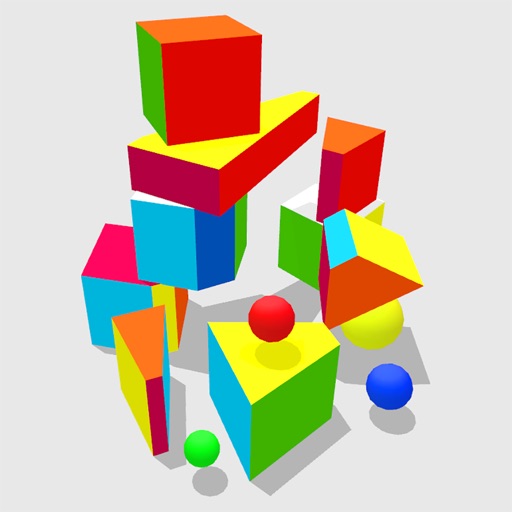
Explore 4D shapes through interactive play with a physics engine that simulates four-dimensional movement. Manipulate objects by poking, throwing, and rolling them. Observe how they behave in unseen dimensions.
Calming visual with lava-style flowing effects. Users can tap to change flow direction, hold to adjust color, and pinch to modify blob size. Syncs with iPhone or iPad music player. Displays on TV via Apple TV.
Learn multiplication and division through interactive . Explore place value relationships and fractions. Solve measurement problems involving time, volume, and mass. Calculate area and perimeter. Identify shapes and their attributes.
Learn and colors through interactive . Color and fill objects, move animals, and build environments. Create animals using . Includes music and voiceovers. Play offline and add new activities regularly.
Learn concepts through interactive games and videos. Practice factor pairs, number patterns, place value, rounding, fractions, decimals, and data interpretation. Track progress and reinforce common core standards.
Teaches sorting and comparison through interactive mini-. Children can drag and drop objects into correct categories. Features three levels of difficulty with colorful visuals. Includes sound effects and simple instructions for young learners.
Play puzzles with various vehicles and themes. Choose difficulty levels for aged 1-8. Create custom puzzles. Features include interactive sound effects, positive feedback, and side for breaks.
Tap buttons to change visual effects. Control with assistive switches that use character codes. No ads, settings, or in- purchases. Provides visual stimulation for users with special or complex needs.
Solve puzzles with 2×2, 4×4, 6×6, and 9×9 grids. Animal Mode uses colorful characters for younger players. Classic Mode offers traditional number puzzles. Track progress and complete puzzles offline without ads.
Create rhythmic patterns with brush, hot rod, and hand drum sounds. Play live sessions using 8 assignable pads for fills, intros, and endings. Export multi-track or full mix via MIDI. Sync with Apple Health for workout tracking.
Children practice addition and multiplication through interactive . Learn place values up to hundreds and measure lengths. Watch educational videos on time, money, and shapes. Track progress with personalized learning activities.
Create and save progressions with visual feedback. Trigger chords via MIDI footswitch. Sync progressions with other apps. Learn relationships and scales. Play chords on an on-screen piano keyboard. Use pads to organize and access saved chords.
Draw and color images with interactive tools. Choose from various templates and colors. Save completed drawings. Receive positive feedback and encouragement. Learn shapes and colors through playful activities.