Add custom drawings to the home screen. Edit and resize images. Choose from various tools and colors. Save and rearrange icons. Share drawings via email or social media.
by Adam frankel★ 4.52 ratingsGraphics & DesignFreeData updated 2026-10-05
Create personalized invitations with customizable templates. Choose from categories like boys, girls, superheroes, princesses, and unicorns. Add text, images, and decorations. Save and share invitations via email or social media.
Create custom home screen widgets with text and images. Choose from pre-designed frames and sky backgrounds. Add vertical text for literary styles. Edit widget content and design preferences quickly. Share widgets with others.
Edit photos and drawings with AI filters for artistic styles. Create custom filters using neural networks. Upload images to generate new styles. Draw pixel art and save creations in collections. Publish artwork on NFT platforms.
Create custom images by adding photos as backgrounds. Touch to draw dots and customize designs. Save creations and share via social media or messaging.
Use phone camera to project anime-style templates onto paper or surfaces. Trace outlines to create art. Adjust lines and colors. Export drawings in various formats. Sync with digital tools for further editing.
Coloring pixel lets users select pre-made objects and color them using provided colors. Users can zoom in to better view the area. They can choose between easy and advanced images with varying color complexity.
Customize home screen widgets with personal photos from your album. Select and arrange images to display on the . Manage privacy by choosing which photos are shown. Adjust layout settings to organize the home screen.
Apply lock and home screen with neon glow effects, abstract patterns, night city scenes, and space imagery. Browse in categories like Abstract, Animals, Nature, and Urban. Customize device appearance with high-quality background .
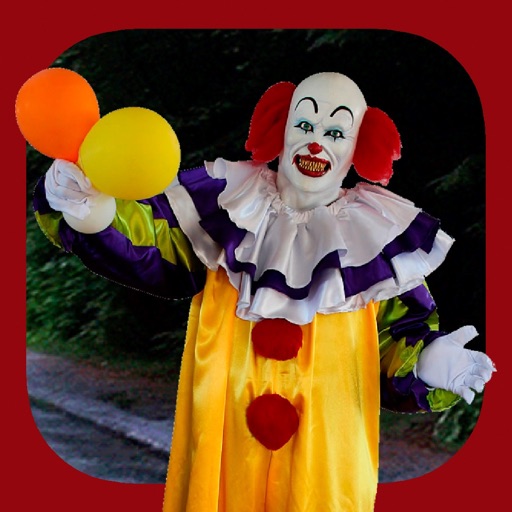
Add clown to photos for a scary effect. Choose from available , position them, and change background to black or white. Edit images using built-in tools and save or share the modified photos.
Create mandalas using watercolor, crayon, and oil paint tools. Add glitters for sparkle effects. Choose from anti-stress coloring pages and creative templates. Save and share finished artwork.
Create animated widgets for Lockscreen using iOS 16 features. Add moving transparent elements and live animations. Customize with couple GIFs and dynamic island integration. Share feedback via email.
Apply AI-generated art filters to photos using style transfer technology. Adjust brightness, exposure, and temperature for fine-tuning. Save and share edited images directly.
Create animations using AI-powered tools. Import images or videos to . Adjust timing, add effects, and export in various formats. Share directly to social media platforms.
The app provides over 70 prompts and drawing tools to deface photos, scribble, drip ink, and shatter drawings. Users can explore creative mess-making and destructive abilities with illustrations and prompts by Keri Smith.
Create and send custom AI-generated . Choose from various styles and expressions. Edit with text, colors, and effects. Share in messages and social media. Save and organize personal emoji libraries.
Create wallpapers with high-quality animations and choose from various categories. Access static wallpapers for the home screen. Customize wallpapers using editing tools to match personal preferences.