Add custom drawings to the home screen. Edit and resize images. Choose from various tools and colors. Save and rearrange icons. Share drawings via email or social media.
by Adam frankel★ 4.52 ratingsGraphics & DesignFreeData updated 2026-10-05
Create drawings using bright colors and various brushes, glows, hearts, dots, and stars. Paint and record your sessions to review your artwork. Access pro features via optional subscriptions.
The app provides the latest German lottery drawings and payouts. It allows users to submit supported tickets online and manage their lottery tickets to see winnings.
Create custom labels using templates and design tools. Edit text, add images, and choose from various formats. Save and labels directly. Design offline with a user-friendly interface. Share labels via email or social media.
Add to photos and videos with customizable fonts and colors. Create captions, watermarks, and animated for social media. Edit art freely without ads or watermarks. Share edited content directly.
Customize iPhone lock screen with and additional lock screen settings. Choose from various wallpaper options. Adjust lock screen appearance and functionality.
Edit photos with text addition, drawing tools in multiple colors, and cute icon placement. Crop images using various ratios. Export edited photos in different formats.
Create personalized drawings to explore relationship dynamics, emotional states, and life timing. Interpret symbols and themes to gain insight into personal growth and connection. Save and revisit drawings for ongoing reflection and understanding.
Edit photos with advanced tools like layers, masks, and adjustment brushes. Crop, rotate, and resize images. Add text, stickers, and special effects. Export in various formats and share directly.
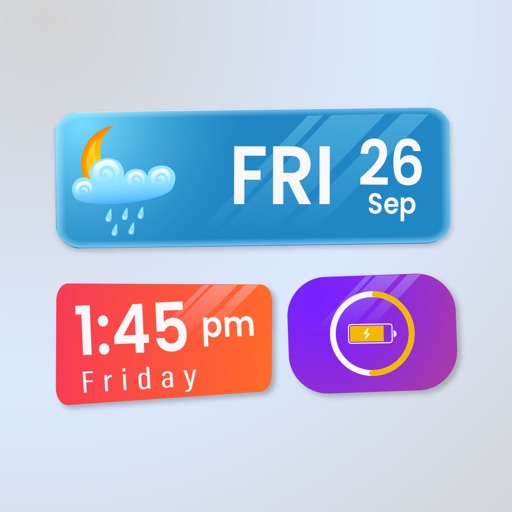
Create a dynamic home screen with transparent widgets that blend with your background. Add clock, photo, time & date, event countdown, and system info widgets. Future updates will include additional options.
Learn to with step-by-step guided tutorials. Follow demonstrations to replicate drawings. Complete drawings and add color. Access categorized lessons by difficulty level. Track progress through repeated practice sessions.
Color superhero drawings from popular comics like the Fantastic Four and Avengers. Use a magic marker or pen to paint automatically with a wide color palette. Save and share completed artwork. Learn about characters while playing.
Customize home and lock screen with and New Year . Apply deep pretty effects and choose from categories like Tree, Santa Claus, and Snow Man. Set as background or save for later.
Widget King allows users to add dynamic to their home screen. Choose from sporty, racing car, cliff, bridge view, and aesthetic . come in three sizes. Users can customize and arrange on their iOS 14 home screen.
Create custom animated stickers with over 70 templates and personal captions. Share stickers via or Messages. Add widgets to home screen. View Weather from widgets or . Access Comics and AI features.
Play using iOS 17 widgets for quick access. Challenge AI in one-player mode or play against friends locally. Customize board and piece styles. Track history and save progress. Share results via social media.
Share photos instantly with via a home screen . Add using an invitation link. Send and receive photos by tapping the . Edit photos by adding text. Only the most recent photo is stored.