Add custom drawings to the home screen. Edit and resize images. Choose from various tools and colors. Save and rearrange icons. Share drawings via email or social media.
by Adam frankel★ 4.52 ratingsGraphics & DesignFreeData updated 2026-10-05
Create fully customisable . Import images from your gallery as backgrounds. Access an online photo library with 2.5M+ royalty free images. Adjust colors of design elements. Decorate home screen with . Export and apply modified .
Lets users pop culture icons based on original drawings. Players can purchase hints if needed. The game is free to play with no in- purchases required.
Customize iPhone home screen with themes, widgets, and icons. Add lock screen widgets for personalized styles. Choose from exclusive wallpapers to match your mood. Subscription options available for weekly, monthly, and yearly access.
Turn photos into 12 styles with adjustable edge thickness. Add stickers before or after cartoonization. Save and share the edited image. No internet connection required.
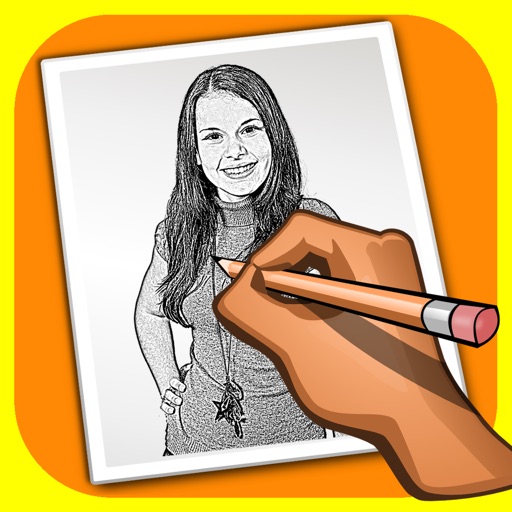
The app transforms user photos into pencil drawings with a sketch shine effect. Users can apply this filter to images captured with the device's camera.
Trace images to create sketches or drawings. Adjust line thickness and brush styles. Use an eraser tool. Apply filters to images. Select from gallery or take new photos. Draw on paper with phone held 1 foot above.
Children can draw using step-by-step templates in cartoon and kawaii style. They can choose colors, add stickers, and save their artwork. The includes guided exercises and a safe, child-friendly interface.
Customize home screen with displaying photos, device info, weather, and shortcuts. Adjust backgrounds, fonts, and images. Compatible with iOS 26 and features a liquid glass effect.
Create and care for animated that appear on the lock screen, dynamic island, and live notifications. Feed and interact with . Add to widgets and favorites.
Explore artworks from 3,000 artists across 100 countries. Browse paintings, drawings, and other media organized by artist, style, genre, period, and museum. Access concise artist bios, artwork context, dates, and provenance information.
Create invitations and greeting cards for special occasions like birthdays, weddings, and baby showers. Add text, images, and custom designs. Choose from templates and personalize with emotions. Share via email or social media.
Set kawaii wallpapers as home and lock screen backgrounds. Choose from a collection of soft, colorful designs. Customize dimensions for different screen sizes. Save and apply selected wallpapers instantly.
Customize home screen icons and widgets with . Choose from templates or design your own. Add colors, photos, and styles to personalize apps. Share creations with others.
Create stickmen using drawing tools and customize appearances. Navigate a storybook world with puzzles and mysteries. Unlock secrets, collect drawings, and share creations. Add sound effects and animations to drawings. Save and revisit progress.
Create and customize drawings using a variety of colors and stickers. Select from pre-designed scenes featuring cartoon . Save and share completed artwork. Improve creativity through interactive activities.
Sketch directly on the screen with pressure-sensitive tools. Adjust brush size and opacity. Rotate, resize, and move drawings. Save and share artwork in various formats. Export as vector or raster files.
Logos, posters, flyers, and invitations with customizable templates and drag-and-drop tools. Add text, icons, and colors. Export in multiple formats. Share via email or cloud services like Dropbox and Evernote.
Learn to draw cartoon characters starting with simple shapes like circles and rectangles. Follow step-by-step guides to color line drawings using various brushes. Access templates for food, fairytale characters, and more.