Create and edit musical compositions using a grid-based sequencer. Customize , program notes, and play back sequences on piano and fretboard diagrams. Adjust music theory settings and visualize chord progressions.
by Fraser Mackenzie★ 0.00 ratingsMusic$6.99Data updated 2026-10-03
Catalog and organize chord charts and lyrics. Import from online sources or create new charts. Sync across devices via iCloud. Build and share setlists. Transpose, capo, or rewrite chords. Use with metronome, autoscroll, and chord buttons.
Convert into music by analyzing hues, saturation, and brightness to generate mode, scale, chord progression, and melody. Display animated visuals synced with the music. Share the resulting multimedia content.
Allows users to play notes with customizable layouts and multiple notes on screen. It includes music theory integration for note identification and chord recognition. Users can adjust key signatures and scale modes.
Play a traditional African musical instrument with metal tines. Pluck tines with thumbs to create melodies. Adjust pitch and volume. Save and share recordings. Learn scales and chords through built-in lessons.
Create and edit music with a multi-track sequencer. Record and adjust patterns in real-time with quantization and undo options. Use an integrated drum sampler with individual effects and XY pads. Load external AUv3 instruments and effects.
Create and sequence music using a step sequencer with generative features. Chain patterns with the Metasequencer. Use Modifier system for dynamic changes. Switch states via MIDI Program Changes. Adjust UI for different window sizes.
Create progressions using emoji-based harmony engine. Select chords and receive suggested next chords in your chosen style. Explore different musical styles and build sequences without theory knowledge. Export progressions and share directly.
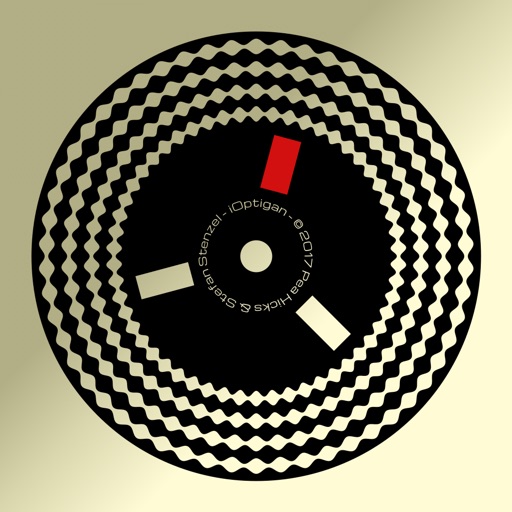
Play music using optical discs with 57 concentric tracks. Select chord patterns by pressing buttons. Choose from different musical styles like Bossa Nova or Big Band. Control playback speed and volume.
Create and edit progressions with inversions, sus2, sus4, 7th, and 9th chords. Play chords as piano or synth or send MIDI to macOS. Use phone as MIDI keyboard for macOS. Practice reading musical notation.
The app supports chord building and detection, scales, and songwriting. It includes a chromatic tuner, metronome, and fretboard learning for various instruments.
Chords and scales with interactive lessons. Use a virtual simulator to practice strumming and fingerpicking. Track progress with lesson completion and skill assessments. Access chord diagrams and tablature for reference.
Create sheet music with intuitive tools for notation, playback, and editing. Add lyrics, adjust rhythms, and save compositions. Export as PDF or image. Share directly or print for lessons and performances.
Learn with interactive lessons and visual charts. Practice in different keys and modes. Record and playback your playing. View chord diagrams and finger positions. Track progress and set practice goals. Sync with accessories for real-time feedback.
Create musical sketches and chiptunes with true 1-bit sound. Use a pattern-based sequencer to arrange notes. Access sound packs for unique tones. Record audio from microphone or line-in. Import and export WAV files.
Practice rhythm with customizable tempo and duration settings. Access over 200 loops in different styles. Use as a or jam along with loops. Track progress and refine timing and dynamics. Export sessions for review.
Create and edit sheet using a virtual piano keyboard. Export and import MusicXML files for compatibility with other software. Compose simple piano pieces or complex symphonies. View and adjust musical scores with a user-friendly interface.
Create and edit music with a variety of tools. Trigger pads in live mode. Adjust effects in dedicated mode. Arrange samples in sequences, takes, and groups. Record via microphone. Generate samples using AI. Add fade-in and fade-out regions.