Apps Like Moonfall - Freeform collage for iPhone and iPad
Create collages by moving, scaling, and rotating
Create collages by freely moving, scaling, and rotating photos. Arrange images without grids, templates, or filters. Add text and stickers manually. Export and share finished collages directly.
Edit photos with filters, cropping, and adjustment tools. Add text, captions, quotes, and watermarks. Apply masks and memes. Export in various formats and share directly.
Pic allows users to divide their camera view into sections using various free layouts. They can take photos or import images from the Camera Roll and arrange them in different orders.
Create professional-looking designs with . Edit videos, add text and graphics, and customize templates. Access inspiration and source materials. Share content for Instagram, TikTok, Facebook, Snapchat, and other platforms.
Edit photos with filters, cropping, and adjustments. Access portrait mode, double exposure, and manual settings. Scan high-resolution films. Share images via social media. Participate in photography challenges and view community submissions.
Create animated videos from text or images using AI. Add polaroid filters and customize character actions. Edit and export videos directly within the . Share finished projects across platforms.
Create custom gifts and wall art from phone photos. Design with 8x8 or 12x12 sizes, choose paper types, add captions and filters. Customize covers and spines. Order canvas, metal, or calendar prints. Share virtual and view pricing starting at $19.99.
Create collages by selecting multiple images and arranging them in different grid layouts. Add frames from a collection of 100+ designs to enhance images. Build personal stories by organizing photos and sharing them directly.
The app transforms selected photos into creative collages. Users can arrange photos on a canvas, adjust layouts, and customize individual pictures by moving or zooming.
Edit photos with filters, cropping, and adjustments. Add text and stickers. Use beauty tools to enhance skin tone and reduce imions. Share edited photos directly. Create custom stickers from images or text.
Create artistic videos with mirror styles and filters. Add picture-in-picture collages using templates. Edit photos and videos with advanced tools. Access weekly updates with a subscription.
Create collages by combining photos and videos. Generate AI-powered videos from text or images. Edit clips with trimming, filters, and transitions. Export videos for Instagram, TikTok, YouTube, Facebook, and Pinterest.
Create videos and edit photos with AI-powered tools for social media. Add text, stickers, and transitions. Generate professional logos for branding. Share directly to Instagram and other platforms.
Create swipeable collages with multiple pages and photos. Add images from the photo library. Customize with color options, filters, cropping, and shapes. Preview the in a full swipe . Save the final to the photo library.
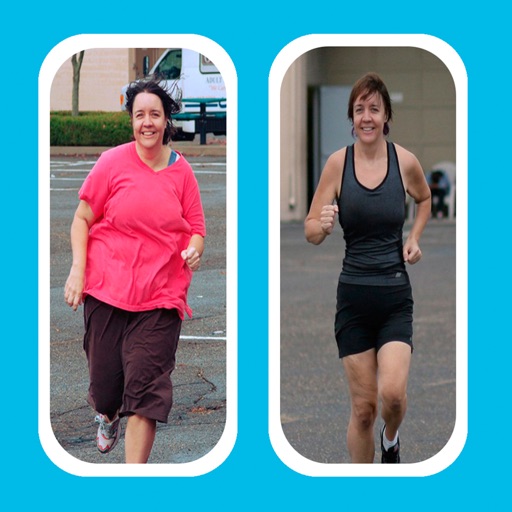
Create -and- photo collages by selecting from two types. Compare images of your body, face, home, or pets over time. Add fun and stylish frames to enhance the visual contrast between photos. Share the final directly.
Create designs for Instagram stories or feed using scans, stickers, realistic brushes, and modern fonts. Add text, apply filters, and use textured backgrounds. Export and share directly from the .
Convert videos, Live Photos, burst shots, still images, and screen recordings into smooth GIFs. Trim and adjust frames for clean animations. Export as GIF or MP4. Share directly from the .
The app allows users to create picture collages on iPhone or iPad. It offers features like shaking to shuffle, finger manipulation of photos, and various sharing options.
The app transforms photos into collages using various arrangement options like shapes, irregular layouts, and templates. Users can personalize collages with frames, filters, and custom spacing, then export them in different sizes.
Create collages by combining multiple photos using drag-and-drop layout tools. Edit individual images with cropping, filters, and brightness adjustments. Add text, stickers, and frames to enhance visuals.