Capture tool images to generate professional foam inserts. Automatically recognize tool shapes and arrange them in a compact layout. Export layouts for cutting and printing. Adjust spacing and orientation manually if needed.
Print images as large posters by dividing them into pages. Each page has a thin border line for cutting and barely visible numbering at the bottom left. Users can deactivate page numbers in settings.
Convert rectangular photos to (1:1) or portrait (4:5) formats. Select media, choose layout options, and share directly. Add white frames and adjust background colors for clean, framed visuals.
Draw on a using colored chalks with optional texture. Create unlimited blackboards with adjustable brush sizes and four background styles. Share drawings to Instagram.
Create by selecting from a large collection of templates. Add personal photos or videos and edit elements within the built-in meme editor. Use AI to generate viral . Save and share finished directly.
The app provides tools for video creation and editing, including cutting, joining clips, and adding text and music. Users can apply filters, use a green screen effect, reverse video, and mask content.
Create animated videos with customizable backgrounds and social media formats. Use a doodle editor with unlimited layers and custom speed frames. Export and share finished animations.
Create room and layouts with furniture placement. Use camera measurements for precise dimensions. Export designs as PDF, DXF, or PNG. Sync with Apple Health.
Allows users to shoot photos and videos with 30+ simulated cameras, each replicating the color and texture of classic cameras. Users can apply unique styles to existing media or shoot directly.
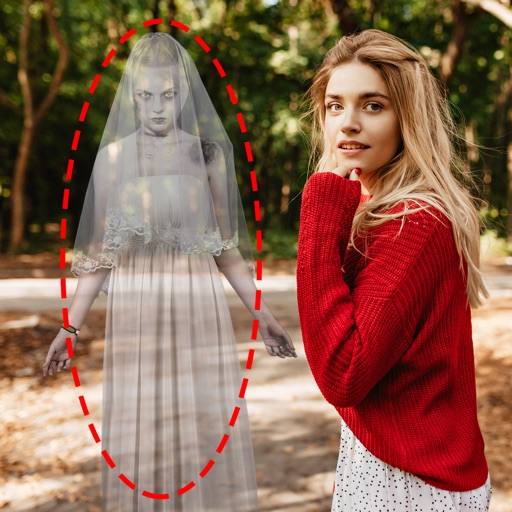
Edit photos by adding ghosts, monsters, or zombies from 62 options. Adjust transparency, color, saturation, brightness, and contrast for each creature. Position and resize creatures freely. Share finished photos with friends.
Create collages with customizable blur backgrounds and adjustable layouts. Apply filters like black and white, vintage, and retro to enhance images. Edit photos by resizing, cropping, or deleting elements.
Create 15-second video segments from longer clips for Instagram . Automatically split videos into sequential segments. Support landscape orientation to avoid cropping. Import video, process segments, and export for sharing.
Edit videos by colorizing specific parts and adjusting brightness, saturation, and hue. Change of selected areas, adjust contrast and white balance, and apply vignette effects. Convert videos to black and white with retention in chosen details.
And with tracing guides and step-by-step tutorials. Choose from various fonts and styles. Trace letters, letters, and symbols. Access inspirational quotes and decorative elements. Use a high-tech tracing projector for guidance.