Control TV functions including power on/off, volume, and channel changes. Share videos, music, and photos to the TV. Search for content. Requires compatible Smart TV model.
by V America Operations Inc.★ 4.713,421 ratingsUtilitiesFreeData updated 2026-09-30
Control your TV with a . Manage volume, channel, and input settings. Switch between supported brands like Samsung, LG, and Sony. Pair via WiFi and navigate using on-screen buttons. Adjust brightness and mute functions.
Smart TV functions via smartphone or tablet. Navigate menus, adjust volume, change channels, and manage playback with touch or gesture commands. Access streaming services and customize layouts.
Control smart devices remotely from any location. Add multiple devices to manage them all within one . Create custom tasks for scheduled actions. Share device access with family members for collaborative control.
Control home appliances remotely from any location. Manage multiple devices simultaneously. Set timers for various functions. Share devices with family members with one tap. Connect devices to the quickly and easily.
Controls TV and streaming devices via Wi-Fi. Automatically detects connected devices. Includes a large touchpad for navigation. Adjust volume and channel. Access movies, music, and games. functions without physical buttons.
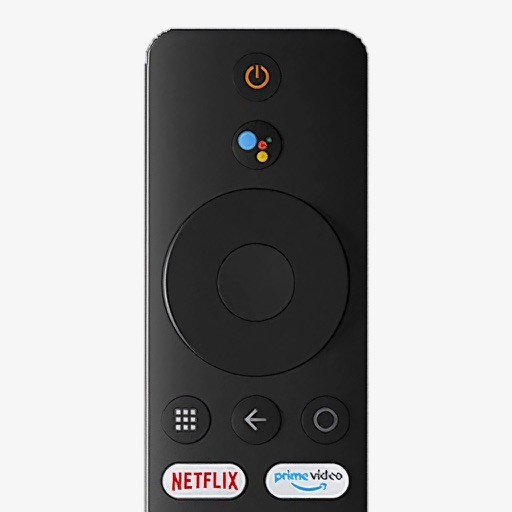
Control your Mi Box with full remote functions including volume, power, and navigation. Manage apps by opening, closing, and switching them from your phone. Use voice search to find content and control playback.
Your TV with your smartphone as a universal remote. Pair instantly via Wi-Fi without setup. Adjust volume, change channels, and navigate menus. Support multiple TV brands. No batteries required. Sync automatically when connected.
TV functions such as volume, channels, and input sources from a smartphone. Connect via Wi-Fi to compatible TV brands. Adjust settings and manage streaming or gaming sessions remotely.
Remote control allows users to manage home devices from anywhere. Simultaneous control enables managing multiple devices within the . A timer feature lets users schedule multiple functions.
Control compatible Smart TVs and streaming services from a smartphone. Adjust volume, change channels, and navigate menus. Access favorite apps and manage playback. Enable voice commands for quick interactions.
Control TV apps by opening, uninstalling, disabling, enabling, and downloading APKs. Manage permissions. Use built-in file manager to transfer files. Take screenshots or record screen activity. Requires USB/network debugging on Android.
Smart TVs and streaming devices with on-screen buttons for channel switching, volume adjustment, and launching. Navigate menus, pause/play content, and adjust settings directly from the .
Remote control allows users to manage home appliances from any location. Multiple devices can be controlled simultaneously through the . A timer feature enables scheduling various functions.
Control lighting settings like color, brightness, and saturation remotely. Sync lights with music rhythm for dynamic effects. Share device access with family members for shared control.
Control your TV and streaming devices from your iPhone. Adjust volume, navigate menus, launch apps, and switch channels. Pair quickly for full remote functionality without needing a physical remote.
Control home appliances remotely from any location. Manage multiple devices simultaneously within the . Set timers to automate various functions. Share devices with family members with a single tap. Connect devices to the quickly and easily.
Compatible TVs via Wi-Fi network connection. Tap, swipe, or speak to operate TV functions. Instantly pair with all compatible TVs. View and adjust settings like volume, input sources, and power.
Control lamps via network with custom color and temperature settings. Manage up to 200 connected devices using group functions and relay transmission. Pair with remote controls for additional control options.
TV with a smartphone, replacing physical remotes. Adjust volume, change channels, and navigate menus. Manage multiple devices including streaming boxes and sound systems. Customize layouts and save frequently used buttons.