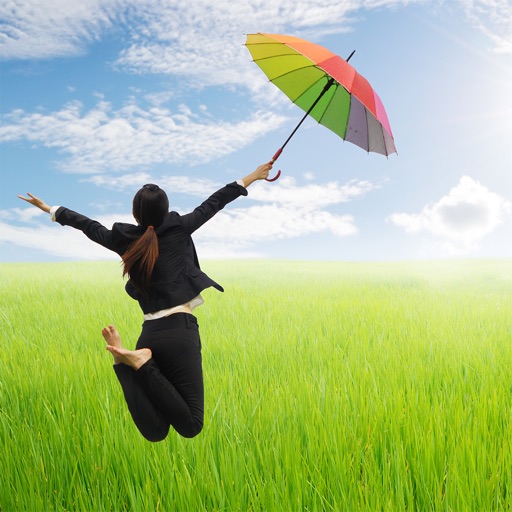
Take levitation photos using automatic alignment technology. Capture and edit images with community features. Share creations and access tutorials for advanced techniques. Sync with social media platforms directly.
Create vector artwork on iPad with precise drawing tools. Align objects to grids, paths, or points. Scale and rotate multiple objects in real time. Use masks to cut out elements from artwork or photos. Position text at any angle or along paths.
Edit photos by flipping vertically or horizontally, resizing, and rotating. Adjust orientation and images for upload. Compare edited photos with originals in single mode. Batch edit multiple images at once.
Create photos with advanced editing tools. Choose from templates for instant design. Edit images directly on device. Unlock premium effects with a small fee. Process images privately without storing data.
Capture photos in and with real-time contrast and exposure adjustments. Preview high-key or low-key effects in the viewfinder. Use Zen mode to focus on composition without technical distractions.
Edit photos with PIP frames, collages, and creative layouts. Add crystal bottle patterns and cartoon styles. Share edited photos directly to social media. Adjust brightness, contrast, and colors. Crop and rotate images.
Apply winter-themed to images. Adjust frame opacity and position. Share edited photos directly. Add text overlays and decorative elements. Export in various formats.
Edit photos by selecting from gallery or camera. Cut out the main subject with tools. Replace the using gallery images or built-in options. Save and share the edited .
The app allows users to swap faces in photos. Users can take a picture or load one from their library, place masks over two faces, and the app swaps them.
Trim clips, adjust transitions, add effects, create
Create custom videos by trimming clips, adjusting transitions, adding effects, and editing audio. Share videos directly to social media or messaging apps. Export in high quality for offline viewing.
Create videos and photos with AI-powered filters and effects. Apply 200+ styles including anime and cartoon. Generate studio-quality content with one tap. Edit and export videos and photos directly.
Upload artwork and place it in realistic interior scenes. Combine multiple images into diptychs or triptychs. Customize frame styles, colors, and widths. Save favorite interiors for quick access. Share edited artwork directly.
Create highlight clips from long videos using AI. Automatically detect and select moments. Add auto captions and generate shareable short-form content. Export to TikTok, Instagram Reels, YouTube Shorts, and other platforms.
Edit text with customizable fonts, shadows, and gradient colors. Apply one-click filters for professional photo look. Adjust lighting, sharpness, and detail clarity. Access design templates for weddings, cards, and frames.
Take photos with single-tap effects and professionally designed filters. Adjust brightness and contrast. Apply blur and focus. Rotate and crop images. Export edited photos in various formats.
Edit photos with single-tap effects and professional filters. Adjust brightness and contrast. Apply blur and focus tools. Enhance portraits with specialized filters. Export edited images in various formats.