Create and edit graphics with a wide range of templates, fonts, and elements. Add text, images, and shapes. Export designs in various formats and share directly. Customize colors, layouts, and effects.
Edit photos into 360-degree images. Zoom in and out for precise adjustments. Add professional effects like lens flares and sky objects such as the sun, moon, planets, and birds. Export and share the final image.
Remove backgrounds from images using U^2-Net technology. Apply customizable themes and color backgrounds. Enhance social media profiles with professional-looking designs. Export edited images directly.
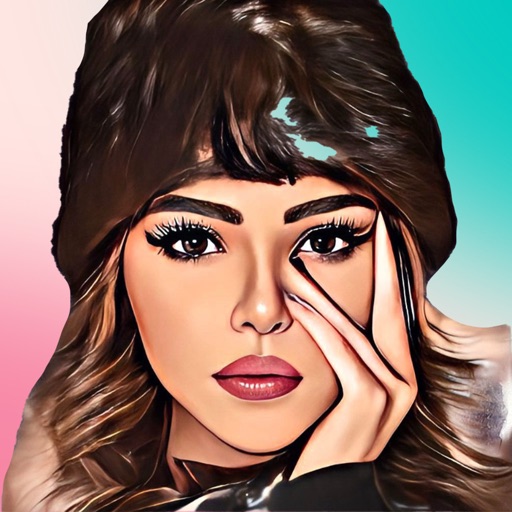
Turn photos into cartoons with filters and effects. Apply over 30 styles and 100 background effects. Edit selfies or select images from the gallery. Export and share the cartoonized photos.
Edit videos with trimming, splitting, rotating, flipping, reversing, deleting, and duplicating clips. Merge videos, photos, and live photos. Reorder clips as needed.
Edit photos with advanced tools like layers, masks, and adjustment brushes. Crop, rotate, and resize images. Add text, stickers, and special effects. Export in various formats and share directly.
Connect motion cameras for real-time preview and parameter control. Download images and videos quickly. Edit photos and videos with filters, cropping, and music addition. Share, like, comment, and collect content within a community.
Create and share digital art with coloring pages, art games, and tracing tools. Design in 3D and display creations in a personal digital museum. Collaborate on drawings with friends and family.
Edit with filters, stickers, and emojis. Create photomontages with built-in effects. Apply artistic tools for detailed edits. Add with customizable fonts and colors. Export and share edited images directly.
The app allows selective editing of photos with filters, effects, and adjustments. Users can apply multiple effects to specific areas or the entire image, offering extensive creative possibilities.
Select photos from gallery or photo library. Choose from numerous PIP frames. Use single image for both foreground and background or different images for each. Edit foreground and background separately. Apply photo filters.
Memes using a large collection of templates. Search for templates by popularity, relevance, date, or usage. Add text, images, and labels. Save memes to a list for future editing. Undo and redo changes during creation.
Edit videos with cutting, trimming, joining, and splitting tools. Create slideshows with media and transitions. Export in HD formats and share directly. Add text, stickers, and effects. Sync with cloud storage for backups.
Transform photos into paintings with art filters inspired by famous artists like Warhol, Modigliani, Picasso, and Rembrandt. Apply 50+ aesthetic lens effects. Edit images without Photoshop skills. Share edited photos directly.