Drums lets users select from three drummers with distinct styles. Adjust jam level and intensity using a 2D slider. Save mixer and effects settings for each sound bank. Toggle ride/hats and cross stick/snare options.
Play virtual with realistic touch response and pitch variation. Adjust drum kit settings and choose from multiple drum patterns. Record performances and share drumming sessions directly.
Edit and remix music by separating tracks like vocals, drums, and guitar. Add MIDI instruments and apply audio effects. Use AI chord detection and a smart metronome. Remove vocals or isolate instruments from any song.
Create a personalized learning plan with an AI tutor that adapts to your progress. Track practice sessions, receive -time feedback, and follow structured lessons tailored to your skill level.
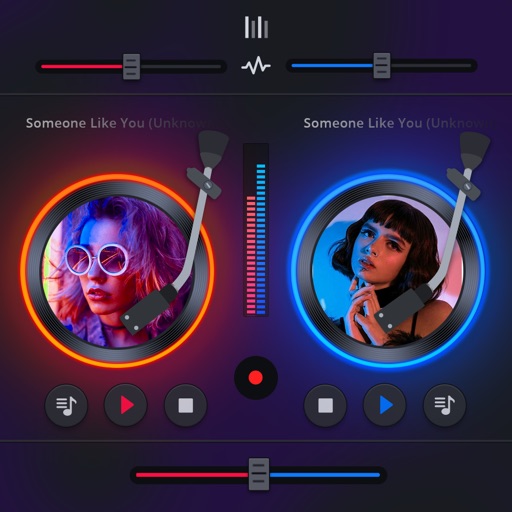
Manage playback with a 3D DJ interface featuring turntables and a 3-band EQ . Access a library to organize files and create custom mixes. Adjust volume and effects in real time during playback. Sync with external devices for live mixing.
Create beats by tapping, dragging, or swiping to trigger sounds. Choose from various instruments and effects. Learn basics through guided lessons or freestyle create. Experiment with different styles and sound combinations.
The app provides a music production environment with a piano keyboard and studio-quality instruments. It includes a multi-track sequencer for editing notes and applying effects.
Lets players unwind colorful planks by swiping fingers across the screen. Solve puzzles with unique layouts and obstacles. Use tools to overcome challenges and progress through levels. Features 3D graphics and artistic designs for each puzzle.
Practice drumming with finger pads that produce real high-quality sound. Select and customize sounds with long press. Adjust positions for different playing styles. Choose from abundant color options.
Solve puzzles by sliding to match exits. Complete 1000+ levels with varying difficulty. Challenge logic and planning skills. No time limits for each level. Adjust gem positions to clear paths and progress.
Explore chords, scales, and arpeggios with interactive libraries. Select root notes and adjust lowest or highest notes for custom chord shapes. View and practice scale patterns with detailed diagrams.
Create and edit music using sampled Mellotron sounds from the 1960s. Access a library of instrument tapes including strings, choirs, and horns. Adjust pitch, volume, and effects. Export projects in audio formats and share files directly.
Control multiple pendulums and synchronize them for precise timing. Adjust tempo from 20 to 999 bpm. Use the for practice, live performance, or studio recording. Sync with other devices for coordinated playing.
Set tempo with adjustable time signatures and subdivisions. Choose from ten built-in sounds. Sync via MIDI clock. Start, stop, and reset the . Adjust speed and display beats per minute.
Master timing and rhythm with a precise . Adjust , set beats per minute, and track practice sessions. Sync with audio files for accurate timing. View performance history and export session data.
The app provides over 40 multi-sampled instruments and hundreds of scales for playing in any style. Users can sound like a professional musician, even with no prior experience, by selecting an instrument and jamming.