Apps Like MX Effects - Top Posts Maker for iPhone and iPad
Edit photos with instant templates and
Edit photos using instant beautiful templates and picture . Add quick text to stylize images. Choose from over 200 templates for various occasions. Export edited images for Instagram.
by Aaron Kwok★ 4.295 ratingsPhoto & VideoFreeData updated 2026-09-29
Posters, flyers, and banners for events, business, and social media. Choose from over 25,000 templates. Add text, images, and graphics. Customize colors and fonts. Export and share designs directly.
Create intros and outros for YouTube and iMovie videos. Edit with real-time preview and fast rendering. Choose from 50+ templates. Add text, animations, and background music. Export in various formats.
Edit photos with AI-powered object removal and background blur. Generate from text using AI. Adjust colors, brightness, and contrast. Add filters and effects. Crop and resize . Share edited photos directly to social media.
Apply to photos. Select from gallery or take new photos. Choose to enhance images. Generate framed photos for sharing. Use as decorative or to express love.
Allows users to or unblur specific areas of an image. Select photos from the gallery or capture new ones with the camera. Apply effects and save edited images to the gallery. Share blurred photos on social media platforms like Facebook and Instagram.
Create aesthetic Instagram carousels, collages, and Reels covers. Design multi-slide posts with aligned elements and preview swipe effects. Customize layouts from minimal to layered. Add text, stickers, and filters.
Edit photos with filters, cropping, and brightness adjustments. Add text, stickers, and drawings. Remove blemishes and whiten smiles. Create collages with multiple layout options. Export in various formats and share directly.
Create with customizable designs organized into categories like birthday, love, and nature. Add background to photos. Edit images by adding text, stickers, and decorative elements. Export and share edited photos.
Create with ready-to-use templates and 500+ frames. Add illustrations, emojis, shapes, and text with 200+ fonts. Resize and position elements freely. Share completed directly to Instagram.
Create photo collages and video slideshows with customizable layouts, colors, and patterns. Add text, filters, and music. Edit photos with object removal, skin softening, and blur effects. Include stickers, outlines, and background adjustments.
Apply photo to enhance images. Adjust brightness, contrast, and saturation. Add to photos and videos. Share edited content directly to social media platforms.
Edit photos with splash effects, convert images to black and white, or apply custom colors. Add filters, zoom in on photos, and use a brush tool. Export and share edited images directly.
Create 3D movies and reels using customizable templates, 3D models, and avatars. Animate scenes with built-in clips or custom actions. Add color and ground features to scenes. Access 25 free templates and 415 free 3D models.
Organize photos into curated albums. Apply filters and frames. Add stickers and backgrounds to create custom designs. Track developmental milestones with timeline features. Access exclusive templates and weekly sticker updates with Pro subscription.
Create slideshows using templates and edit photos with advanced tools. Add text, stickers, and filters. Share directly to social media with pre-set tags. Edit and export videos in multiple formats.
Remove backgrounds from images by drawing a closed curve. Automatically erase similar color areas for transparent results. Adjust brush size for precise edits. Pan, zoom, and rotate images.
Create slideshows and collages with photos and music. Add transitions, edit photos, and reorder images. Share finished projects on social media platforms like Instagram, Facebook, and Twitter.
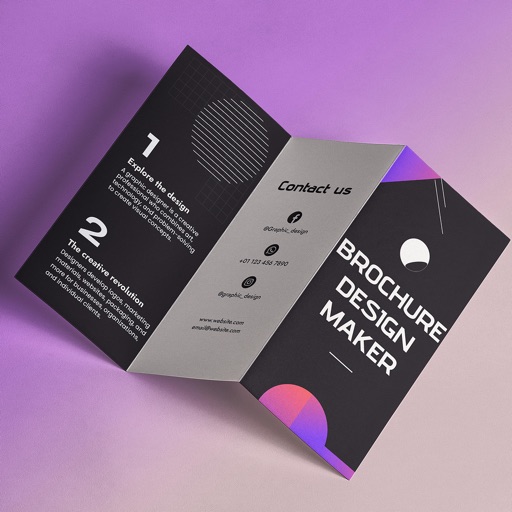
Create brochures by selecting from 2500+ templates across industries like business, travel, and education. Edit layouts, add text, images, and graphics. Export as PDF or print directly. Save and share designs.