Organizes homework with due date visibility. Sends schedule reminders. Syncs with Google Classroom. Eliminates need for agenda books. Tracks assignments and deadlines. Integrates with classroom platforms. Provides clear overview of pending tasks.
by Wilson G★ 4.512 ratingsEducationFreeData updated 2026-09-29
Check due dates and renew items where eligible. Store card information securely. Search the catalog and view event calendar. Locate nearby branches for in-person access.
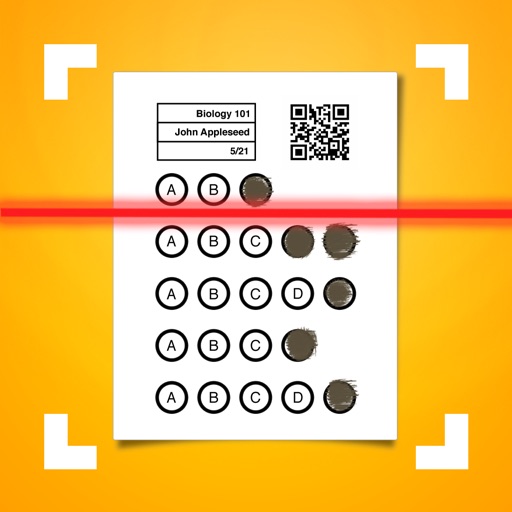
Allows users to create classes and configure assessment answers. It automatically grades bubble sheets and displays scores in real time. Export data to XLS or CSV, sync with Google Classroom, and integrate with .
Organize schedules, enter grades and assignments, and calculate grades instantly. Chat with , find friends nearby, and access AI homework help by uploading photos. Track appointments and manage academic tasks.
Track countdowns for events, assignments, or vacations. Set custom schedules matching your calendar. Exclude holidays and off to adjust timelines accurately. Manage multiple countdowns and count-ups.
Organize tasks, projects, customers, and documents in a customizable workspace. Create and assign tasks, track progress, and link related items. Collaborate in real-time, set deadlines, and manage workflows.
Manage assignments with basic tools to add, edit, and delete tasks. Sort tasks by due date and set reminders for upcoming deadlines. Track progress and organize coursework efficiently.
The app organizes academic deadlines and campus events into a scannable calendar and planner. It consolidates information from campus sources to help students manage their schedules.
Manage homework, tests, and notes within a . Track absences and use an organizer to schedule task time. Upgrade to access weekly timetables, grade management, and custom themes.
Schedule SMS for personal use. Set recurring or one-time messages. Edit details including time, date, and message content. Purchase plans to increase monthly limits. Send via cellular network. View history and manage scheduled messages.
The app helps users monitor due and overdue tasks. It allows sorting tasks by context tags, providing a better overview to re-prioritize or reschedule completion dates.
And out to track hours. Log time entries with project and task details. View daily, weekly, and monthly time summaries. Set reminders for scheduled tasks. Export time logs in various formats.
Access requirements and competence status. View fleet information before onboard assignments. Sort by due date and notify assessors when ready. Download data for offline use.
View account balance and due date. Make payments and access bill history. See energy usage graphs to track trends. Report outages and contact directly through the .
Create meeting by adding tasks, responsible parties, due dates, and completion status. Integrate with calendars to schedule and generate . Export in CSV format and share across apps.
AI assistant allows users to ask questions, correct grammar, translate English to other languages, and convert text into commands. Users can interact with the chatbot for various tasks and receive instant responses.
View all your calendars in one place. Set smart reminders for tasks and events. Customize schedules with recurring options. Sync across devices. Add notes and attach files to events. Share calendars with others. Track progress toward goals.
Manage tasks with customizable workspaces, boards, and list views. Set reminders through Miro integration. Track project progress and collaborate in real-time. Log emotional insights for personal productivity.
Organize tasks using the to prioritize by importance and urgency. Customize quadrants to fit personal workflows. Set reminders and deadlines for individual tasks. Sync across devices and view progress through visual task boards.