Analyze frequencies with a real-time display. Adjust and visualize sound levels across different frequency ranges. Export analysis data and compare signals for accuracy. Calibrate equipment for optimal performance.
Real-time with customizable effects and export options. Users can import from playlists or files, select from four visual packages with eight visuals each, and adjust settings for each visual. Export visuals and share on social media.
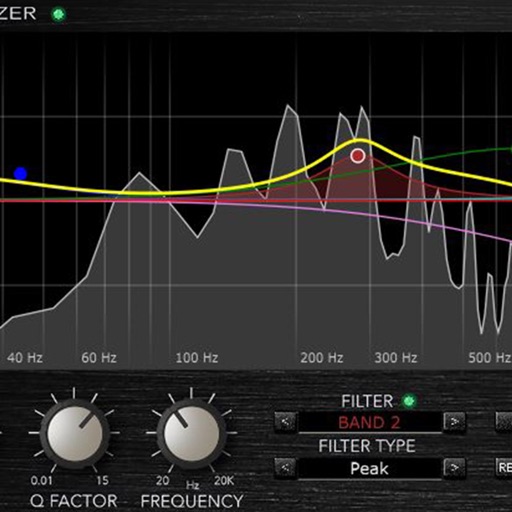
Load and manage impulse response files for audio equipment. Adjust cabinet sounds with a 6 band parametric equalizer and graphic EQ. Use a custom compressor with side chain filter and bass enhancer.
Create bass-heavy sounds with a monophonic synthesizer. Adjust frequency ranges and apply mid/side processing for stereo imaging. Control low-end thickness and shape sub-bass tones. Export audio files and integrate with digital audio workstations.
Create music using a grid-based with clip arrangement. Manipulate clips through copy, duplicate, merge, combine, and drag-and-drop actions. Access quantize and clip length tools. Connect to plugins and external devices for sound generation.
Record audio and MIDI tracks, mix during playback, and apply effects like reverb and vocal tuning. Add drum tracks, edit songs, and share projects online. Collaborate with others through the Songtree community.
Access a wide range of tracks from various genres and artists. Search and filter to find preferred backing . Use high-quality kits for practice or performance. Offline access ensures reliable playback without internet.
Adjust audio with up to 24 bands of EQ. Use dynamic EQ and linear phase processing. Access spectral EQ and character modes. Edit in real-time with EQ Sketch. Control multiple 4 instances from one interface.
Record audio, MIDI, and drum tracks with unlimited layers. Apply real-time effects like Guitar Amps, VocalTune, and Reverb. Mix and edit tracks on the go. Share projects and collaborate with other artists via Songtree.
Create evolving soundscapes with four voices per section. Route voices into each other for complex overtones and resonant frequencies. Adjust harmonic or atonal qualities. Control dynamics and texture variations. Export compositions in audio format.
The app plays FLAC, ALAC, and RAW audio files. It manages songs by playlist, album, artist, composer, and genre, and supports background audio playback.
Adjust audio frequencies with a 10-band covering 60Hz to 16kHz. Apply real-time adjustments for bass, mids, and treble. Visualize audio with dynamic graphics. Import and play local files or stream audio directly.
Apply a lush one-button chorus effect inspired by the Juno-60 analog chorus. Adjust mix levels to blend the effect. Add depth and dimension to tracks with dark and detuned character. Syncs with AUv3 hosts for plugin use.
Apply distortion and saturation effects to audio in real-time. Choose from various distortion models and adjust frequency bands. Use modulation settings and access a modern, intuitive interface for precise audio shaping.