Create photos using AI-powered smart filters. Adjust exposure, contrast, and saturation. Apply style presets or customize filters. Save and share edited images directly.
by Dmytro Hrebeniuk★ 4.818 ratingsPhoto & VideoFreeData updated 2026-09-27
Access photography tips with instant access to cheat- on composition, exposure, aperture, shutter speed, ISO, lighting, and troubleshooting. View online tutorials and explore photo tours for in-depth learning and inspiration.
CAIO FARIA PEDROSO DESENVOLVIMENTO DE SOFTWARE LTDA
Edit photos with AI tools
Edit photos with AI-powered upscaling, background removal, and object erasure. Adjust colors, brightness, and contrast. Add text, stickers, and filters. Export in various formats and share directly.
Edit photos with AI-powered tools for background removal and image enhancement. Adjust colors, brightness, and contrast. Add text, stickers, and filters. Export in various formats and share directly.
Edit photos with professional filters and effects. Adjust brightness, contrast, and saturation. Crop, trim, and add borders. Add text in Arabic or English with customizable fonts. Include stickers and emojis.
Edit photos with enhancement tools, effects, and frames. Add stickers and overlays. Crop, rotate, and adjust brightness, contrast, and saturation. Remove blemishes and red eye. Apply color splash and sharpen or blur images.
Edit videos using filters, music, stickers, and sound effects. Add photos and create high-impact videos. Share directly to social media platforms. Track progress and adjust settings for optimal output.
Edit photos with filters, backgrounds, patterns, textures, frames, and stickers. images to format. Access photos from the gallery or capture new ones with the camera. Apply creative tools to enhance and style images. Share edited photos directly.
Edit photos with and subject focus tools. Adjust intensity manually or automatically. Remove unwanted objects from the . Apply filters and make color adjustments. Save and share edited images directly.
Capture photos and videos with automatic scene recognition and optimized settings. Adjust exposure, contrast, and color. Edit with basic tools and export to social media or cloud storage.
ATA SOFWARE BUSSINESS AND PRODUCTION JOINT STOCK COMPANY
Edit photos, add templates, save as ID
Create professional-quality visa, ID, and passport photos. Select images from camera or gallery. Use AI-powered tools to adjust lighting, background, and size. Apply templates for official document compliance. Export and print directly from the .
Apply -style to photos for instant professional edits. Choose from 105+ categories with over 950 . Adjust brightness, contrast, and color tones. Export edited images in various formats. Share directly to social media or save to device.
Editor allows users to apply , , and selective effects. They can adjust intensity and select areas to . The includes retro, 35mm, and analog filters for image enhancement. Users can crop, rotate, and adjust brightness and contrast.
Edit photos and videos with AI-powered tools to change faces, hairstyles, and body shapes. Create cinematic video and fantasy avatars. Retouch images and apply . Share edited content directly.
Edit photos to create -profile images using real photos. Adjust angles, enhance features, and apply natural filters. Preview and share generated images directly. No fake filters or awkward photoshoots.
Edit photos using AI-generated filters based on text prompts. Transform selfies and images with unique styles and magical effects. Apply AI-powered enhancements without complex tools or sliders. Share edited photos directly from the .
Create and images using AI-powered tools. Generate images from text prompts. Apply 100+ AI filters. photos with cropping, adjustments, and text overlays. Share edited content directly.
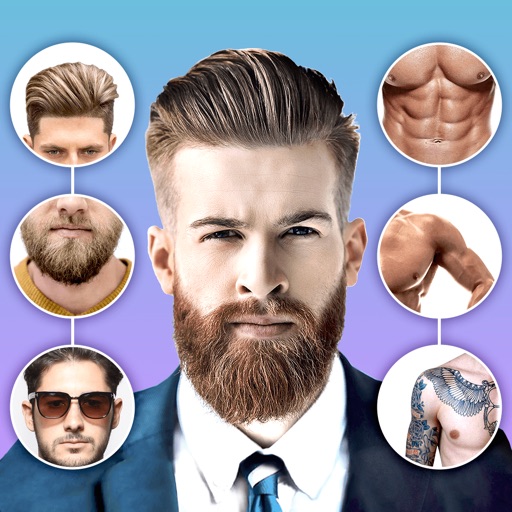
Edit photos with body shape modification tools and hairstyle customization options. Adjust skin tone and facial features. Add filters and effects. Export edited images in various formats and share directly.
Take photos or load images from the library. Add handwritten notes and drawings. Apply filters. Enlarge images for detailed editing. Save original files and multiple sizes. Share via email. Paint on images without access.
Apply creative filters to layers including blend, mask, pointillize, frame, distort, and more. Stack and save filter templates. Add motion with transition and create videos using built-in tools.