Learn audio production techniques through structured tutorials on mixing, mastering, and sound design. Access high-quality templates compatible with Pro Tools, Logic, Ableton, Cubase, and FL Studio.
by Devvon Terrell LLC★ 4.69 ratingsEducationFreeData updated 2026-09-27
Edit audio recordings with automatic volume normalization and sound enhancement. Adjust equalizer settings or use presets. Create AI videos and reels from audio files. Export in multiple formats and share directly.
Learn with native speaker audio for essential words and phrases. Practice pronunciation using Speech Studio by recording and comparing your voice to the teacher's. Download all audio for offline use without internet or roaming fees.
Stream from SoundCloud Go+ and local files via cloud services. Import tracks in multiple formats. Organize library by title, artist, album, bpm, key, rating, or duration. Create custom playlists.
Play sounds at defined frequencies between 0Hz and 25kHz. Use the noise meter to measure sound levels. Test speakers with quality audio for sound output.
Create using AI by typing lyrics, describing a mood, or entering a prompt. Generate complete tracks with high-quality audio. Adjust tempo, key, and instruments. Export and share finished songs directly.
The app offers control for MIDI-enabled hardware and software, including keyboards, synths, and DAWs. It provides AUv3 support within hosts like AUM and Logic, alongside robust MIDI communications over network, Bluetooth, and USB.
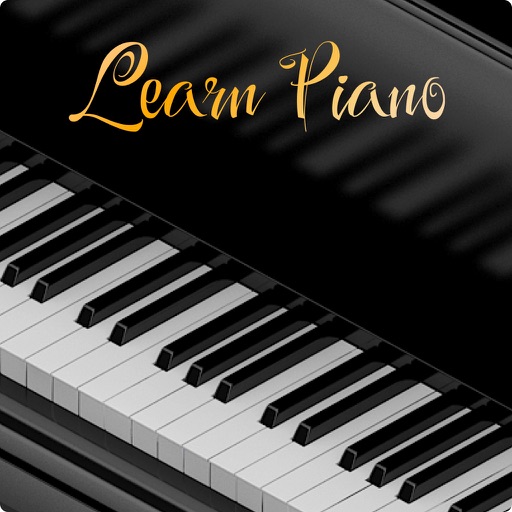
And with interactive lessons designed for beginners and intermediates. Practice scales, chords, and songs. Play along with built-in accompaniment and metronome. Track progress with lesson completion and performance reviews.
Convert MP4 videos to MP3 audio files. Edit and enhance audio with noise reduction, trim, and volume adjustment. Save and share converted files directly.
Record podcasts and radio shows directly on iPhone or iPad. Automatically mix and master audio during recording. Export final files for distribution. Sync with external microphones and headphones. Adjust settings for optimal sound quality.
Access tutorials created by professional photographers and visual artists. Learn techniques to improve portfolio quality and business strategies. Track progress and revisit lessons for review. Share completed projects with instructors for feedback.
Create singing vocals by inputting notes on a piano roll and adding lyrics. Adjust timing, pitch, and tone for customization. Export vocal tracks in various formats and integrate with music production software.
To draw with video tutorials that break down techniques into manageable steps. Practice fundamental skills through structured lessons. Follow along with visual guidance to improve technique and create artwork.
Convert video files to MP3 and other audio formats. Extract audio from local and online videos. Edit audio by cutting, splicing, and adjusting balance. Remove vocals to create accompaniment. Set converted files as ringtones.
Learn with native speaker audio for essential words and phrases. Practice accent with Speech Studio by recording and comparing your voice to the teacher's. Download audio for offline use and access without internet.
Record and edit files using multitrack editing. Cut, trim, and split segments. Apply effects and use a professional equalizer. Mix tracks and export in various formats. Share edited files directly.
Learn with native speaker audio for essential words and phrases. Practice accent with Speech Studio by recording and comparing your voice to the teacher's. Download audio for offline use and access without internet.
Learn with native speaker audio for essential words and phrases. Practice pronunciation using Speech Studio by comparing your voice to the teacher’s. Download audio for offline use and access without internet.
Create and play music with a professional sound library. Connect to MIDI keyboards for instrument control. Adjust sound parameters and effects. Save and export audio files. Sync with music production software.
Increase audio up to 1000% without distortion. Enhance low-quality sound clarity. Adjust levels for weak microphone or speaker outputs. Amplify audio files while maintaining sound quality.