

Apps Like Pixel Gaka for iPhone and iPad
Pixel Gaka screenshots
Ranked alternatives
Showing 141–160 of 1,000 ranked alternatives.
iPastels
Norbyte
Sketch, paint, and refine digitally
Create artwork with realistic pastel simulation using live-calculated brushes and strokes. Sketch or paint digitally, test compositions, and refine techniques without physical supplies. Save and share paintings directly.


Graphic for iPhone
Picta, Inc
Create vector art and illustrations
Create vector illustrations with precise tools for technical and artistic designs. Export to Pages, Keynote, or other formats. Sync work between Mac and iPad. Edit and refine graphics on mobile.

Collage Maker - Combine Photo
Livintis W.L.L.
Create collages and share them
Create collages using hundreds of templates, layouts, and design options. Add effects, text, and stickers to photos. Share finished projects directly to social media accounts. Edit images with cropping, filters, and adjustments.

Vector Paint + DropBox Sync
Evgeny EGOROV
Create art with layers and masks
VectorPaint allows users to create illustrations with paths, compound paths, text, images, groups, masks, and gradient fills. It supports unlimited layers and exports to SVG or PDF via . Users can select, scale, and manipulate objects efficiently.

Endless Zoom Canvas - ZoomArt
Infinitefy OU
Draw, , and explore freely
Allows users to draw and explore with infinite scroll and . Create digital artwork using Apple Pencil support. Adjust brush settings for precision. Save and export drawings in various formats. Collaborate in real-time with others.

Color Mix: ASMR Coloring Match
Muhammad Haroon Mehmood
Color puzzles for fun and focus
Create and colors on a canvas to solve puzzles. Fill squares to complete paintings. Choose colors to mix and adjust hues. Complete levels with increasing difficulty. Enjoy calming gameplay and artistic challenges.
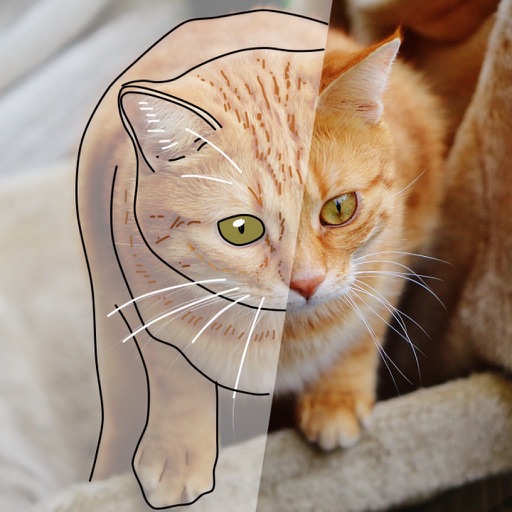
Tracing Paper Draw & Paint
Kozo Terai
Over images with precision
Over image templates with automatic pen tracking for accurate . Select from preloaded categories like animals, flowers, and vehicles. Choose from over 150 colors to customize drawings. Export final artwork in various formats.

HenPitsu
Shin-ichi Nishimura
Draw with speed-sensitive brush
Draw with a brush that adjusts width based on finger movement speed. Create Japanese calligraphy or watercolor paintings. Select or capture background images. Save or export drawings to other apps.
ArtStudio - Draw and Paint
Sylwester Los
Edit photos, sketch, and professionally
Create and edit digital artwork with layers, brushes, and custom tools. Adjust colors, brightness, and contrast. Import photos and sketches. Save and export in various formats. Apply filters and effects. Collaborate with others through cloud sharing.
Audio Editor - AudioLab, Mixer
Innovation Software Development 360 LLC
Record, edit, and remix
Separate vocals and instruments using AI. Edit in videos with volume adjustments and effects. Convert between multiple formats. Apply over 20 effects. Record with built-in effects.
HuePaint
Norbyte
Create art with expressive painting tools.
The app offers live-calculated brushes and strokes that interact with a generated canvas texture. Users can adjust parameters like color and size while painting, and stroke size changes based on fingertip contact with the screen.


Animation Creator HD Express
miSoft, LLC
Create awesome animations any time easily.
The app offers drawing tools, color options, and frame management for creating animations. Users can share their creations on Cineverse.
How we rank alternatives
Apps are ranked by functional similarity, category fit, rating confidence, and popularity.