Record daily moments with text entries. Add photos and tags to entries. Search and organize entries by date or keyword. Share entries via social media or email. Set reminders for daily entries. Sync across devices.
by 佰臣 费★ 0.00 ratingsLifestyle$0.99Data updated 2026-09-26
Offers story-driven lessons with anime characters and moral dilemmas. Users complete daily quests to practice discipline. Guided journaling with reflection prompts is available. Track progress through daily entries and challenges.
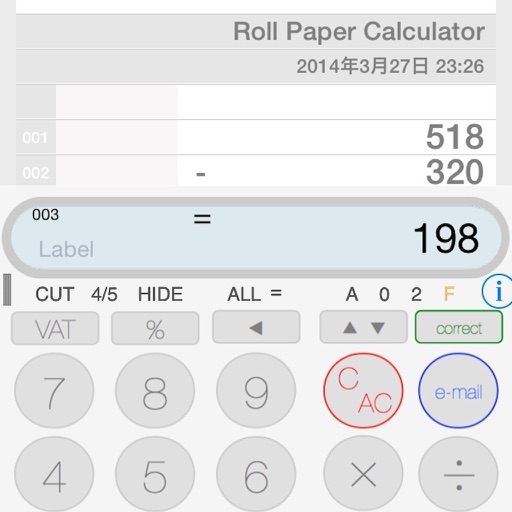
The app provides a calculator experience that replaces traditional functions with a new paper tape. Users can scroll the tape, touch earlier entries, and email calculation results.
Record daily moods with emotion emojis, one-line notes, and a photo. View entries in calendar, timeline, or date-based view. Track emotional trends with monthly pie charts and weekly graphs.
Access public in with detailed dates and descriptions. Track school for parents and students. Set reminders for upcoming events. Share holiday schedules with others. Sync calendar entries for easy planning.
Vertical calendar allows users to create and share schedules with family or friends. Add events by selecting a date and project, customize colors, and save entries. View history for quick re-entry. Notify users of changes via push alerts.
Track daily abundance, gratitude, and achievements with journal entries and progress analytics. Log income, gifts, and meaningful events. Receive daily wisdom tips and view growth insights through visual reports.
Store and manage passwords for accounts with custom encryption. Add services and organize passwords by account. View and edit entries locally without internet access. Securely delete records and generate strong passwords.
Track goals and progress with visual charts and progress bars. Set affirmations and guided prompts for reflection. Log habits and receive reminders. Sync with Apple Health for activity tracking. Export entries and share notes.
Plan trips to New England with detailed itineraries, activity suggestions, and food highlights. Explore 200+ entries and 350+ photos. Set goals and save personalized routes. Sync with devices for offline access.
Organize contacts by letter with a vintage interface. Tap a letter to navigate to that section. Add, edit, or delete contact entries. View contact details and notes. Sync contacts across devices.
Write production details with finger input. Mark scenes with a tap that produces a loud, clear sound. Save and review clapperboard entries. Sync with devices for collaborative filming.
The app helps children organize tasks and chores, log diary entries, and set reminders for homework and tooth brushing. It also includes features for reading lists, gift wish lists, and birthday countdowns.
Write entries quickly or take time to reflect. Start entries instantly upon opening. View entries via calendar with monthly view options. Use dark mode. Receive reminders to log entries. Access is restricted to the user only.
Track prayer requests by adding contacts and specific details. Set reminders for prayer dates or schedules. Store up to 25 entries and manage prayer logs without cost.
Clean up duplicate and similar photos with intelligent detection and deletion. Organize gallery by categorizing images. Remove unwanted files to free up space. Manage contacts and calendar entries directly within the .
Capture and reflect on life's standout moments with . Add photos, videos, and notes to highlight events. Track personal metrics like mood or productivity. Review and organize content throughout the year. Share moments with others.
Automatically at set intervals. Export as VCF or CSV files. Identify and remove duplicate entries. Share files via email or cloud services. Import files into compatible apps like Gmail or Google .
The app stores selected text, links, and phrases for quick pasting into emails or text messages. Entries can be created from existing text or typed manually, and items can be marked as selected or deleted automatically.
Look up Chinese characters by stroke count, radical, or拼音. Search via汉字 input. Save favorite entries to a personal folder. Use offline without internet connection or data usage.