Edit photo including GPS coordinates and camera settings. Add custom location data and adjust exposure details. Modify device information and manage geographic with precision.
That starts automatically when the phone is face-down. Users set time, flip device to begin session, and must keep it face-down to maintain . Sessions turn green upon completion, red if interrupted. Tracks progress with a session history calendar.
Create floorplans using AR by calibrating the camera and marking room corners. dimensions and visualize layouts. Export plans and share with contractors or save for personal use.
Capture and process laser scan data in real time using an iOS device. Preview scans, perform pre-alignment, measure objects, clean data, and add tags. Export or share scan results directly or collaborate in the cloud.
Calculate and communicate project measurements easily.
The app allows users to calculate and communicate project measurements. It connects to a RIDGID LM-400 Laser Distance Meter via Bluetooth for precise measurements and works in drawing or photo overlay modes.
Consult manuals, send requests, watch training videos
Access manuals, schematics, and training videos for instrument installation. Send information requests and use a calculator to determine ideal expansion valves. Locate nearby resellers using GPS coordinates.
Edit photos to correct distortion, straighten images, and adjust non-rectangular shapes into rectangles. Manually or automatically correct tilt and distortions. Distort or reshape photos and graphics as needed.
Measure lengths, widths, depths, surface areas, and volumes using spatial tools. Resize tools to calculate dimensions automatically. Use horizontal and vertical levels, box, sphere, cylinder, and cone shapes to assess physical spaces.
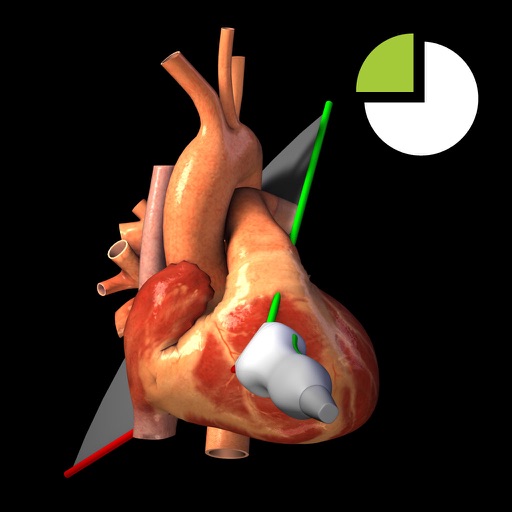
Users can view TTE recordings for 20 cardiac and interact with corresponding 3D heart models. Rotate and adjust 3D models to visualize cardiac structures. Annotate and compare images with reference guidelines.
Calculate angles for cross braces and table x bracing. Input width, height, and board dimensions. Choose board orientation. Display angles for board ends and intersections. Support imperial and metric units. Provide board length requirements.