Edit photos with advanced filters, manual color grading, and adjustment tools. Crop, rotate, and apply effects. Export in various formats and share directly.
by Steven Topczewski★ 4.554 ratingsPhoto & VideoFreeData updated 2026-09-25
Resize photos to fit Instagram's format. Adjust dimensions and crop images precisely. Share edited photos directly to social media. Maintain image quality during resizing. Apply basic editing tools for optimal framing.
Edit photos and videos with filters, cropping, and adjustment tools. Add text, stickers, and special effects. Share edited content directly. Collect creative inspiration for fashion, home decor, and lifestyle. Access curated design ideas and trends.
Edit photos with filters, cropping, and adjustment tools. Add text, stickers, and borders. Create collages and share directly. Export in multiple formats. Sync with social media platforms.
Edit photos with adjustment tools, stickers, frames, textures, effects, and a wide range of filters. Add text and apply effects. edited photos directly from the .
Apply VHS, Stardust, Retro, and Golden Hour filters to photos and videos. Edit RAW photos with tools like Contrast, Saturation, Grain, and Fade. Crop and Skew images for perspective adjustments. Save and reuse favorite edits with presets.
Capture photos and videos with retro film filters and analog textures. Adjust exposure, contrast, and grain. Apply vintage color effects and scan-to-video conversion. Share edited media directly to social platforms.
Apply thematic with 18 styles, each offering 20 variations. Use grid combinations to blend multiple . Add graphics and art for creative . Customize with multi-functional tools. Export edited images in various formats.
Capture photos with realistic film grain, cinematic halation, and a rich color palette. No live filters or editing tools. Share directly from the without additional steps.
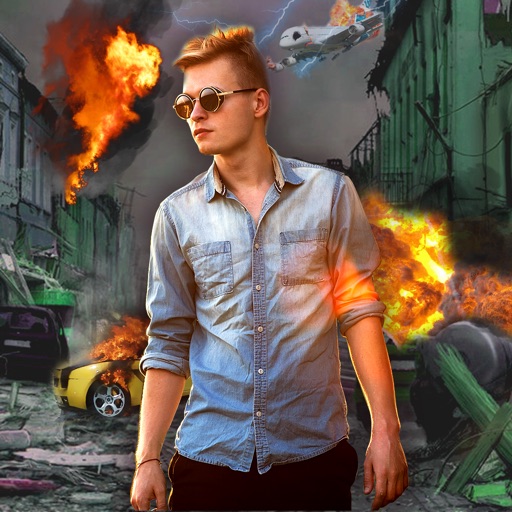
Edit photos with -themed effects like explosions, bomb blasts, and action stickers. Apply customizable FX frames and VFX filters. Decorate images to resemble posters. Share edited photos directly.
Edit photos with cartoon filters, line art, and color effects. Adjust brightness, contrast, and saturation. Add text, stickers, and borders. Export and share edited images directly.
Generate videos from text prompts or photos. Transform images into dynamic videos. Combine AI models for enhanced results. Create shorts and reels without editing skills. Export in various formats.
Apply makeup with customizable brushes and color options. Adjust skin tone, brightness, and clarity. Remove blemishes and redness. Enhance eyes and lips with precision tools. Save and share edited photos directly.
The app allows selective editing of photos with filters, effects, and adjustments. Users can apply multiple effects to specific areas or the entire image, offering extensive creative possibilities.
Edit photos with brightness and exposure sliders for precise control. Choose from JPG, PRO, RAW, and HEIF formats. Capture images in high quality. Adjust custom settings for advanced photography.
Edit images with layers, masks, and advanced tools. Add text and shapes. Create detailed designs and artistic edits. Export in multiple formats. Sync with other apps and devices. Adjust colors and apply filters. Save and organize projects.
AI-powered placement allows users to embed objects in photos. Customize fonts, sizes, and colors. Adjust position and depth for professional-looking depth effects. Export edited images directly.