Edit photos with advanced filters, manual color grading, and adjustment tools. Crop, rotate, and apply effects. Export in various formats and share directly.
by Steven Topczewski★ 4.554 ratingsPhoto & VideoFreeData updated 2026-09-25
Edit photos by selecting from a gallery or capturing new images. Apply unique and not found elsewhere. Adjust background colors and photo size. Combine multiple with a single tap. Export and share edited photos.
Capture and edit photos with AI-powered enhancements. Adjust colors, brightness, and contrast. Apply filters and effects. Add text and stickers. Export in various formats and share directly.
Capture -angle and panoramic photos using real-time lenses. Adjust distortion levels and select from multiple presets. Edit images with crop, rotate, and brightness tools. Share photos directly to social media or save in high-resolution formats.
Apply blur effects like Gaussian, motion, and tilt-shift. Adjust blur intensity for desired results. Edit photos with tools to enhance clarity and composition. Save and share edited images directly.
Create videos and photos with AI-powered filters and effects. Apply 200+ styles including anime and cartoon. Generate studio-quality content with one tap. Edit and export videos and photos directly.
Edit photos with and apply filters. Add text and stickers. Create montages. Share edited images directly. Adjust brightness and contrast. Save and export in various formats.
Edit photos by touching areas to apply . Create mosaic effects by selecting and blurring sections. Edit videos by cutting scenes, rotating frames, and adjusting brightness and color. Save edited photos or videos with effects.
Edit photos to create professional headshots using AI technology. Adjust lighting, background, and composition. Remove distractions and enhance details. Export in high resolution and share directly.
Edit photos with and facial reshaping tools. Apply over 20 unique filters. Adjust proportions, enhance curves, and refine specific areas like arms or facial features. Export edited images in multiple formats.
Create and edit images using AI-generated art and editing tools. Transform text into images with AI. Adjust colors, crop, and apply filters. Save and share edited images directly.
Take photos with multiple filters, light leaks, and effects. Use a timer, volume keys, and composition lines. Crop images in various ratios. Edit photos with filters and apply them to images taken with other apps.
Edit photos with AI-powered filters, color correction, and smart enhancements. Remove objects, adjust lighting, and apply textures. Export in high resolution and share directly.
Edit photos using Powerful Fill, which generates realistic content based on text prompts in 419 languages. Add hidden messages to images. Export edited photos in various formats. Share directly from the .
Edit photos with a wide range of effects, from basic adjustments to advanced graphic transformations. Repaint images using various brushes and import Photoshop brushes. Share edited photos on Instagram with the # tag.
Capture property photos and share listings instantly
Capture high-quality HDR images for real estate listings. Edit photos with AI-powered tools for enhanced clarity and color. Share listings directly to social media and real estate platforms. Manage property details and view analytics for performance.
Create visual stories with built-in editing tools and customizable templates. Adjust brightness and add effects. Insert stickers, emojis, and text. Organize photos into collages.
Edit photos with cropping, resizing, and removal tools. Apply filters, adjust colors, and add text overlays. Export images in various formats and share directly to social media or online stores.
Edit photos and videos using a wide range of . Adjust exposure, contrast, and color grading. Apply filters and effects. Save and organize custom . Export edited content in various formats.
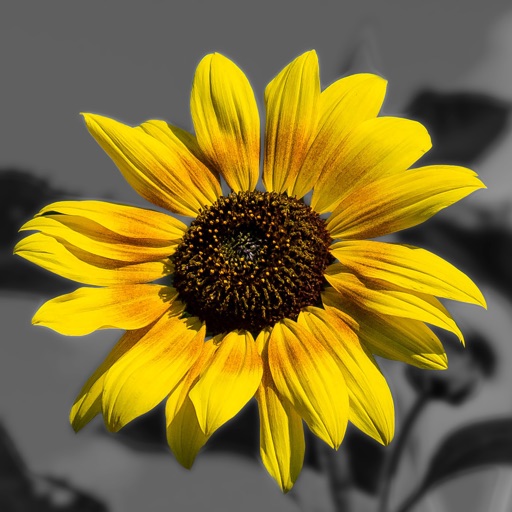
Edit photos by converting them to and and selectively adding with brush tools. Choose from various brush sizes and styles. Apply filters for creative effects. Undo changes with a single tap.