Access and review AAA-ICDR® , fees, and clauses. Search for specific terms, download documents, and bookmark sections for quick reference. Share relevant clauses with colleagues or clients.
by American Arbitration Association, Inc.★ 4.33 ratingsBusinessFreeData updated 2026-09-25
Allows users to play trivia games with questions on science, history, math, and pop culture. Features include multiple choice, true/false, and image recognition questions. Users can participate in Lightning Rounds for faster gameplay.
Manage schedules and procedures with this application. View and update case details, access rules, and review election guidelines. Track magistrate duties and maintain instructions securely.
The app offers grammar explanations and practice for intermediate English learners. It includes quizzes and exercises covering grammar, reading, listening, vocabulary, pronunciation, and writing.
Explore definitions and explanations of over 300 terms used in transformational communities. Search for specific words, read detailed descriptions, and save notes for later reference. Share definitions with others via email or social media.
Study for the DMV test with questions on traffic signs, signals, road rules, and safe driving practices. Review pavement markings and parking rules. Access tips to improve test performance. Track progress and exam formats.
The app provides mobile access to Docket Directory information. Users can search by party name, case number, room, and time, and subscribe to specific courthouse displays for quick reference.
Pay authorization fees for one or more vehicles, including trucks and tows, to gain legal access into Town. View payment history and confirm transactions within the .
Access reference materials including government rules, reporting requirements, and filing deadlines. View contact information for attorneys. Link to external resources and regulatory guidance.
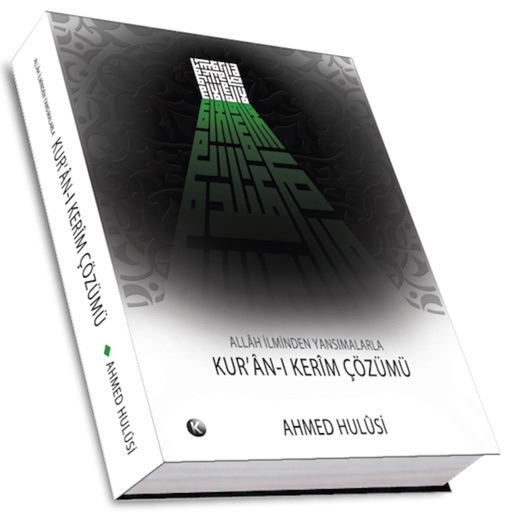
Access Quranic interpretations with audio recitations. Navigate through verses, search for specific content, and bookmark favorite sections. Sync with web version for cross-device reading. Share notes and highlights with others.
Access hymns and Bible verses with offline playback. Search and bookmark specific songs. Sync with devices for on-the-go listening. Share favorite hymns via social media. Customize playback speed and repeat settings.
Ask questions and receive text-based answers. Access rule snippets to view PDF pages directly. Choose sources like rules, Q&A, or both. Reset chat to start fresh. View styled cards with a playful, doodled design.
Read and navigate eBooks with a customizable interface. Access linked videos and supplementary content. Highlight and annotate text. Search for specific terms within the book. Bookmark pages for later reference.
Study for the DMV test with questions on traffic signs, signals, road rules, and safe driving practices. Review pavement markings and parking rules. Access tips and tricks to improve test performance.
Look up words with detailed definitions, translations, and examples. Search for - and - terms. Access extensive vocabulary and specialist terminology. View language style levels and usage notes. Save favorite entries for quick reference.
Access and search offline with full-text search. Highlight and bookmark sections. Switch between light and dark mode. View titles including State Affairs, Legislature, Public Officers, and Public Fiscal Admin.
Access and search law texts offline. Browse titles including General Provisions, Agriculture, and Aviation. Highlight and bookmark sections. Toggle between light and dark mode. Perform full-text searches across legal content.
Access Quranic verses with Malayalam and Arabic transcripts. Enable audio playback and auto-scrolling during audio. Adjust font styles for better readability. Share verses and bookmark specific sections.