Create handwritten notes and drawings with customizable brushes and erasers. Use vector tools for precise shapes and annotations. Add text, highlights, and special line effects. Save and organize digital sketches and journal entries.
Create collages by selecting images from the library. Automatically generate and arrange layouts without manual cropping or resizing. Shuffle image order as needed before finalizing the .
Create videos with filters, effects, and stickers. Add music and cinematic transitions. Edit photos into slideshows with customizable templates. Export and share finished videos directly.
Capture 360° HDRi images using multi-exposure panoramas. Adjust dynamic range settings. Stitch and export 32-bit EXR format files. Generate realistic 3D lighting and lightmaps for animation and compositing.
AI assists answering questions, solving problems, and providing tips. Users can generate text, create visual content, and plan tasks. Integration productivity tools allows for seamless workflow automation and task management.
Create vector art using Bézier tools and Apple Pencil. Convert sketches or photos to SVG format. logos, icons, illustrations, and UI assets. Export vector files for production use. Refine curves and edit vector drawings directly.
Edit videos with cutting, trimming, joining, and splitting tools. Create slideshows with media and transitions. Export in HD formats and share directly. Add text, stickers, and effects. Sync with cloud storage for backups.
Create logos, flyers, and business cards using 100,000+ editable templates. Use AI tools to generate logos or turn text into images. Export designs as links or QR codes for sharing.
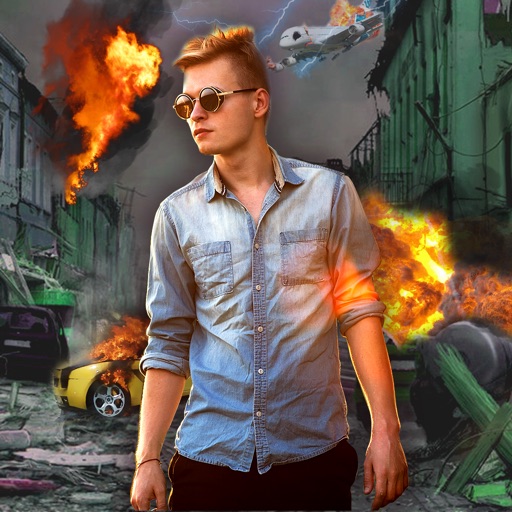
Edit photos with -themed effects like explosions, bomb blasts, and action stickers. Apply customizable FX frames and VFX filters. Decorate images to resemble posters. Share edited photos directly.
AI automatically detects and removes , people, and backgrounds from photos. Users can edit photos with skin whitening, acne removal, body reshaping, object erasing, background changes, cropping, text addition, and filters.
Create intros, inserts, and film credits for videos. Use 49 customizable HD templates. Save intros to Camera Roll. Add professional-quality openings to movies. Edit and export directly from iPad or iPhone.
Take notes, draw, and sketch using Apple Pencil. Annotate PDFs, Excel, Keynote, and Numbers files. Create lists, memos, and organize notes. Export notes in multiple formats.
The app offers professional editing tools, beauty enhancements, and special effects. Users can apply stickers, create classic collages, and design fashionable posters with InstaMag.
Generate and for videos using AI. Add them to videos automatically. Edit or customize text for accuracy. Share videos with enabled. Supports multiple languages and formats.
Utomatic subtitles for videos with accurate text overlays. Edit and customize . Translate content into multiple languages. Upload videos and receive transcriptions quickly. Share captioned videos directly to social platforms.