Create and share digital art with customizable brushes and layers. Access video tutorials for different skill levels. Participate in a community to receive feedback and inspiration. No cost for all features.
by New Media Institute★ 4.04 ratingsLifestyleFreeData updated 2026-09-25
Learn about government functions and civic engagement through educational content and discussions. Connect with local community members to participate in political processes.
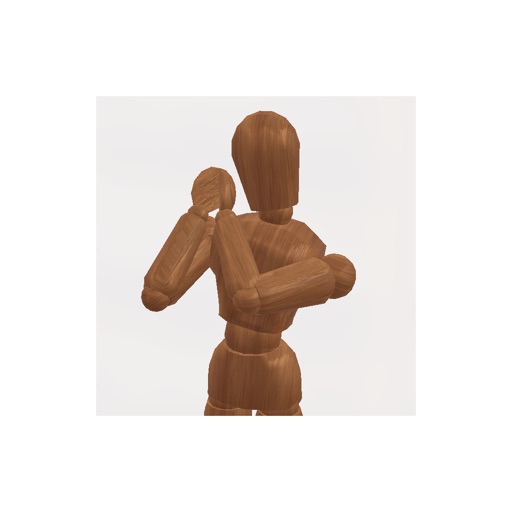
Create pose references for figure drawing using a 3D mannequin . Load and overlay reference images. Save and share poses. Mimic realistic human movement. Supports phones and tablets. Includes indie-developed features with future updates.
Through interactive, step-by-step tutorials. Follow mentors to complete tasks and gain hands-on experience. Access self-paced workshops and guided courses in subjects like cooking and art. Share progress and receive feedback from instructors.
Create unlimited sketches with drawing tools and color palettes. Use stencils and templates for guided drawing. Save and share artwork. Upgrade to access special effects and advanced features.
Learn through interactive dialogues with native speakers and speech recognition feedback. Practice vocabulary with 6000 words and real-life conversations. Track progress with daily exercises and free lessons.
The app provides a large, zoomable board for capturing and organizing ideas with digital sticky notes. Users can drag and drop notes, use various colors, and email boards as PDFs for sharing.
Upload drawings to receive instant AI feedback on anatomy, shading, and perspective. Identify strengths and areas for improvement. Set daily practice goals and track progress over time.
Learn painting techniques through live classes and recorded lessons. Explore mediums like watercolor, gouache, and ink. Access beginner to advanced level courses. Connect with artists for feedback and collaboration.
Create interactive lessons with multimedia content. Annotate, highlight, and draw on digital whiteboards. Collaborate in real-time with multiple users. Share notes and presentations across devices. Integrate with classroom management tools.
The app provides gardening advice and inspiration for all skill levels. Users receive guidance on seasonal plants, border designs, and growing their own food.
Learn languages through AI-driven conversations with native speakers. Practice speaking, listening, and grammar with interactive dialogues. Receive real-time feedback and corrections. Set personalized goals and track progress over time.
With step-by-step tutorials and exercises. Access offline lessons for anytime practice. Follow detailed instructions to improve techniques. Track progress through guided sessions. Export drawings directly from the .
Access video tutorials and live-streamed classes for hair styling techniques. Learn to create client-focused extension and color solutions. Join a community of stylists prioritizing scalp and hair health.
Provides multiple-choice vocabulary tests with -English translations. Users answer questions and receive immediate feedback. The reinforces learning through repetition and cumulative levels.
To popular cartoon characters from comics, TV shows, and movies. Follow step-by-step tutorials to practice sketching and shading. Adjust proportions using a framework guide. Save and share your artwork.
Design and plan vegetable gardens with a visual planner that allows drag-and-drop plant arrangement. Track growth with a photo timeline to document progress. Set reminders for watering and harvesting. Share achievements with social media.