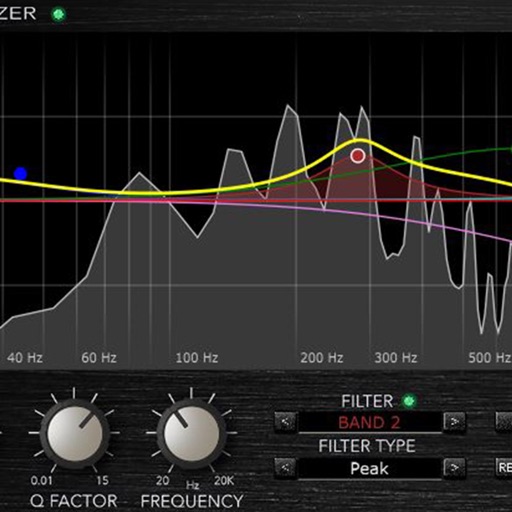
Enhance frequencies with real-time equalization and saturation controls. Adjust low-end resonance and harmonic distortion. Load presets or customize settings. Save and recall configurations. Available as a time-limited demo with reload options.
by RRS, OOO★ 4.537 ratingsMusicFreeData updated 2026-09-24
Audiobus V3 plug-in for audio processing. Apply effects to enhance sonic clarity and natural frequency response. Adjust settings to refine sound without traditional equalization. Access demo version with limited free playtime.
Record and process audio in real time using microphone input. Apply studio-quality enhancements, excitation, and sweetening effects. Adjust parameters for depth, clarity, and tone. Export processed audio files.
Adjust audio settings with a customizable equalizer. Boost volume and enhance bass for louder playback. to Bluetooth devices and wired . Improve speaker sound quality with audio enhancement features.
Edit with 16 tracks, 20+ effects, and lossless output. Use AI to separate vocals and instruments locally. Record with minimalistic interface. Zoom and adjust waveform for precise editing. Export and share edited files directly.
Adjust sound settings with five-band EQ for bass, mid-range, and treble control. Switch between ANC modes for Quiet, Aware, and off. Check battery life, customize shortcuts, and manage connected devices.
Adjust audio by boosting and increasing in videos and audio files. Remove background noise and static. Clean up sound and optimize for device speakers. Use battery-efficient audio enhancement features.
Edit with precise zoom, cut, undo, and redo functions. Remove vocals and separate instruments from files. Apply effects like reverb, chorus, EQ, and pitch adjustment. Merge and mix music clips, create ringtones, and enhance quality.
Play tuning notes for a standard 4-string guitar. Select notes to match pitch. Adjust frequency for accurate tuning. Save preset tunings for quick access.
Load and manage impulse response files for audio equipment. Adjust cabinet sounds with a 6 band parametric equalizer and graphic EQ. Use a custom compressor with side chain filter and bass enhancer.
Play music with streaming, downloading from cloud services, and local files. Adjust and sound quality using a 10-band equalizer with presets. Access iTunes library directly. Organize and manage music files from multiple cloud storage options.
Play with a graphic equalizer, network streaming, and cloud access. Apply sound effects like Crystalizer and AM3D Audio Enhancer. Use visualization plugins for audio effects. Stream and manage files directly.
Play music with original sound quality using iPhone or iPad. Connect for real-time sound. Access 9000+ song presets for different genres. Adjust 100+ amps, cabinets, and pedals for custom tone. Track performance metrics and save settings.
Enhance audio quality with sound boosting and enhancement. Import tracks from local storage or cloud services. Play music with customizable equalizer settings. Adjust levels for optimal listening. Control playback through a user-friendly interface.
KUPERTINO BIL. YAZ. HALIL IBRAHIM KARAHAN SAFFET ARSLAN MUSTAFA AYTEN MUHAMMET YALCIN OZDEMIR K. S.
Boost and enhance audio quality
Boost audio to enhance sound clarity and output. Adjust levels manually or automatically. Support for various audio formats. Enable loudspeaker mode for increased . Disable system limits.