Provides a bucket brigade effect for audio processing. Works with audio unit hosting apps. Adds warmth and depth to audio tracks. Adjusts modulation parameters for custom sound. Integrates with digital audio workstations.
by Adam Bell★ 5.023 ratingsMusicFreeData updated 2026-09-24
Record and edit files using multitrack editing. Cut, trim, and split segments. Apply effects and use a professional equalizer. Mix tracks and export in various formats. Share edited files directly.
Record and process audio in real time using microphone input. Apply studio-quality enhancements, excitation, and sweetening effects. Adjust parameters for depth, clarity, and tone. Export processed audio files.
The app allows users to write lyrics and record audio for song sections. It includes a chord picker, chord diagrams for multiple instruments, and support for the Nashville Numbering System.
Arthur Eduardo Skaetta Alvarez Desenvolvimento de Software LTDA.
Add audio tracks
Record audio narration for with adjustable volume per track. Add multiple audio tracks by pressing REC while viewing the video. Mix audio with existing video footage and export the final result.
Create reverb effects with precise control over room models and decay time. Adjust decay rates across frequency ranges. Blend reverb with source audio for natural mixing. Export settings and integrate with DAWs.
Adjust audio with four parametric stereo equalizer bands. Set gain, frequency, and Q for peak filters. Use low-shelf and high-shelf filters with adjustable gain and frequency. Enable or disable each band individually.
The app recreates a historic beatbox with an analog synthesizer modeling sound engine. It features a 16-step sequencer for groove creation and eight effect types.
Record and edit audio with multitrack mixing capabilities. Add effects and adjust levels. Export projects in various formats. Collaborate with others by sharing files. Import and organize audio clips. Adjust tempo and key for creative flexibility.
Create and record musical patterns by tapping and swiping multi-touch pads. Record continuously without setting a tempo. Drag and adjust pads for customization. Play and refine patterns without stopping. Sync with audio units and standalone devices.
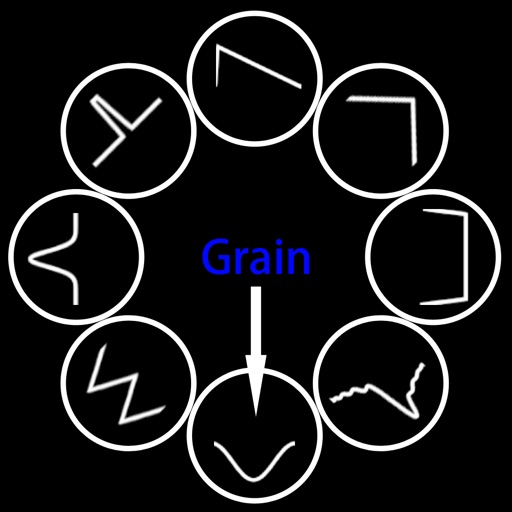
Create granular sounds with two independent channels. Adjust amplitude envelopes with 8 wave shapes. Apply audio effects and control parameters. Perform live with real-time modulation and pitch shifting. Export and share synthesized audio files.
Create drum sounds and synthesize vocals using a 24-part sound engine. Use a pattern sequencer to arrange beats. Apply effects including a Phrase Vocoder that converts text to vocal-like sounds. Adjust vocal characteristics such as gender.
Simulate vinyl record playback with adjustable scratches, crackles, and noise levels. Control amplifier, pickup needle, and cable quality. Choose between 50 Hz and 60 Hz hum. Adjust ducking and noise levels for different playback scenarios.