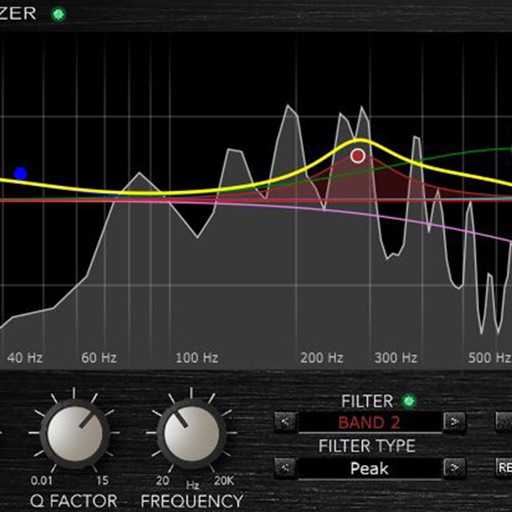
Adjust audio frequencies with a parametric equalizer. Add a filter band for precise control. Adjust gain and Q settings. Apply preset EQ profiles. Save and recall settings. Export adjustments for use in audio projects.
by RRS, OOO★ 4.814 ratingsMusicFreeData updated 2026-09-24
Create and customize chord sets using an internal library or random generation. Play chords with 8 groups of 16 pads or 2 groups of 64 pads. Generate MIDI controls on pad axes. Connect via MIDI and use as a standalone or AUv3 plug-in.
Decode Morse code audio into text using microphone or headset input. Automatically translate signals or manually adjust settings for weak signals. Control filter frequency, WPM speed, and background noise threshold.
Analyze signals with real-time spectrogram, spectrum, and oscilloscope visualizations. Identify frequencies and measure response of equipment. Detect phonetic elements in speech and visualize animal calls. Check singer’s formant for vocal analysis.
Load and manage impulse response files for audio equipment. Adjust cabinet sounds with a 6 band parametric equalizer and graphic EQ. Use a custom compressor with side chain filter and bass enhancer.
Stream live acapella performances of Jewish music by Shira Choir. Play favorite tracks, access classic and new songs, and enjoy uninterrupted playback without ads, subscriptions, or fees. Listen on mobile, tablet, or desktop.
Apply reverb effects with natural, vintage, and plate algorithms. Adjust Space control for room models and automatic decay time. Use Decay Rate EQ to modify decay time across frequencies. Blend effects with source material for precise mixing.
Create and manipulate sound using two oscillators and one noise generator. Adjust frequencies in Hz or MIDI notes. Apply lowpass filters individually to each . Use panning for spatial effects.
Visualize music with interactive waveforms and color patterns. Learn tonal languages by seeing pitch representations and practicing mimicry. Practice singing with pitch tracking and note recognition.
Add warmth and noise to audio with . Apply saturation, wow, and flutter effects. Adjust parameters for lofi or distorted sounds. Use as a master effect or channel insert. Export modified audio files.
Helps users identify specific frequency ranges through Sine wave or Pink Noise playback. Users adjust equalization settings to match target frequencies. Track progress with built-in exercises and feedback.