Apps Like 小白智慧打印-手机打印扫描复印,试卷擦除 for iPhone and iPad
Print documents from any
Connect to Epson printers via Wi-Fi or local network for fast printing. Print from WeChat, QQ, DingTalk, and common file formats like Word, PDF, and Excel. Access over 3 million learning resources including worksheets, textbooks, and templates.
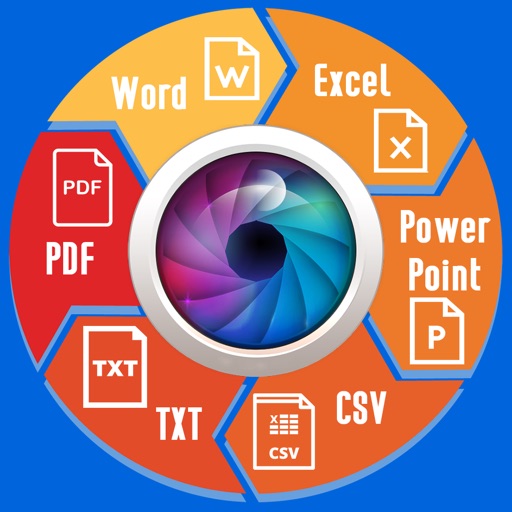
Documents between formats including Word, Excel, PowerPoint, images, and PDF. Edit, merge, split, and annotate PDF files. Export to image formats or images to PDF. Share converted files directly or save to cloud storage.
Convert files to and from PDF with ease. Preview documents, edit text, and adjust formatting. Share converted files directly or save to cloud storage. Supports multiple file types including documents, images, and spreadsheets.
Sign PDF documents and take photos for eSign. View signed documents and history. Share signed files via email. Purchase DSC/eSign plans and receive physical tokens.
Scan documents, photos, and papers to create JPG or PDF files. Remove backgrounds and adjust image settings. Convert scanned images to editable text using OCR. Share documents and manage files within the . Edit Word and Excel files directly.
Scan documents to convert them into PDF or other file types. Auto-crop and edge detection remove borders and shadows. Edit PDFs with text, images, and formatting tools. Share files via email, cloud services, or messaging apps.
Print documents and photos directly to most WiFi/Wireless printers without additional software. Print remotely over mobile data. View and store emails, PDFs, files, photos, and web pages. Print from Mac or PC.
Convert PDFs to JPG, Excel, and Word formats for easy editing and sharing. Scan documents directly with high-resolution imaging. Organize and manage files within the . Export converted files and share them across devices.
Documents and photos directly from your phone. Support for doc, docx, pdf, jpg, and other formats. Select options and settings. Share files via Wi-Fi or cloud services. Manage jobs and settings through a user-friendly interface.
Convert PDF files to format . with high-quality output. Edit converted documents and view file details like creation date and size. Search for converted files and share them directly.
Print photos, web pages, and PDFs directly from compatible apps. Paste content from Mail, Safari, or Notes to print. Share content via Action button for printing. Print using Wi-Fi Direct or USB connection.
PDF files to Word documents by selecting them from the gallery and tapping the button. Export the converted file directly. Upcoming updates will include conversion to PowerPoint and Excel formats.
Turn your device into a mobile printing tool. documents, photos, emails, and web pages. Supports multiple wireless printers. Preview files before printing. from cloud storage or local files. Features an easy setup and intuitive interface.
Create worksheets by setting the number of questions and range of numbers. Generate unique problems each time. Save, print, or share worksheets directly.
Allows users to photos, contacts, phone numbers, and web pages directly to network or WiFi . It supports printing emails, documents, and calendars. Users can convert content to PDF and from Apple Watch. Printing via computer to all is also possible.
Extract text from scanned images and convert to Word, Excel, or PDF. Edit extracted content in Word or Excel. Convert tables and format from images to Excel or Word. Save as text files or PDFs. No registration required for conversions.
Read and annotate PDF files with highlighting and note-taking. Search text within documents. Export pages as images or other formats. Share files via email or messaging. Support for PDF forms and password-protected documents.
The app allows users to design layouts for electronic cutting machines. It supports TrueType and OpenType fonts and imports various file formats like SVG, PDF, and EPS.
Convert documents to and from PDF, JPG, DOC, DOCX, PNG, TXT, and PPT. Edit PDFs with AI-powered image-to-text conversion, document summarization, rewriting, and grammar checking. Export edited files in multiple formats and share directly.
Open and read XPS and OpenXPS documents. Access document outlines, page thumbnails, and search text. Convert XPS and OXPS files to PDF. Share converted PDFs with any PDF viewer.
Print documents and photos directly from your smartphone using compatible printers. Adjust settings, select paper sizes, and manage print jobs. Connect wirelessly for high-quality prints without needing a computer.