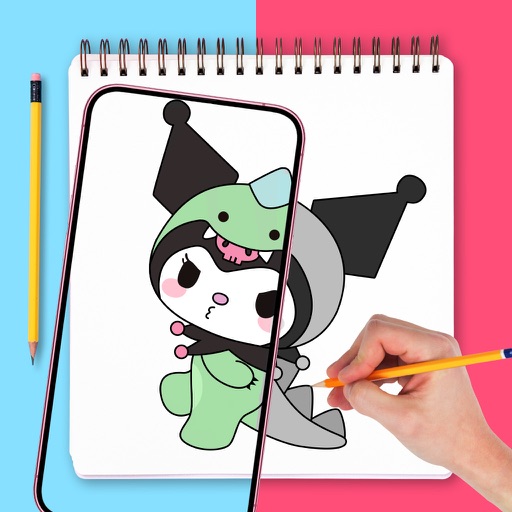
Use your phone camera to draw on any surface. Access templates for animals, cars, and nature. Utilize the built-in flashlight for better visibility. Share completed drawings with friends. Create art using augmented reality technology.
Draw and paint images using customizable color pencils, pastels, and brushes. Choose colors freely and adjust settings for precise control. Save artwork to camera roll and share via Facebook or Twitter.
Create realistic artwork with pencil, brush, pen, and marker tools. Import images as layers and edit with eraser, ruler, compass, and other tools. Add stickers and use layer management for detailed painting and design.
Create collages using photos and videos. Add text, stickers, and backgrounds. Include video clips in collages. Share finished projects directly. Edit images with cropping and filters. Save and export in various formats.
The app allows users to draw geometric shapes, color drawings, and retouch photos. Users can share their creations with friends using different drawing tools and colors.
Create drawings and sketches on customizable canvas backgrounds. Record sessions as videos. Share creations with friends. Choose from preset color palettes for different coloring styles.
Create digital illustrations with painting, coloring, and drawing tools. Use multiple layers, customize brushes, and mix colors for precise control. Apply textures and save or share artwork directly.
Games allow users to select color by number puzzles and images by tapping colors. Features include on pages, recoloring existing artwork, and saving progress. Users can access pixel art books and sketch freely without internet connection.
Create and edit drawings with over 20 colors and adjustable brush sizes. Save drawings and their creation process in a built-in gallery. Replay or resume drawings at any time. Draw on iPhone, iPad, or iPod Touch.
Create art with customizable brushes and access to 700 additional premium brushes. Design comic panels using 1000 screentones and 60 fonts. Apply filters and use fun background brushes. Save and share artwork directly.
A game allows offline art creation without ads. Users can color and draw princesses, unicorns, and animals. Features include animated elements that react to color, confetti effects, and a sketchbook interface for creative sessions.
Use augmented reality to draw on any surface. Trace outlines, adjust colors, and add textures. Save and share drawings. Access tutorials for beginners. Export in various formats.
Draw on whiteboard, blank canvas, or images using pen, line, arrow, and shape tools. Edit photos with filters, adjustments, effects, and crop options. Customize tool size and transparency. Add text, stickers, and emotions.
Coloring pages allow toddlers to draw and color in various themes. Pages include animals, dinosaurs, dolls, and more. Features include hand-eye coordination exercises, color recognition activities, and creative tools.
Create artwork using vibrant neon colors and glowing brushes. Draw on a large canvas with sketch tools. Adjust effects and export designs in various formats.
Allows users to using step-by-step tracing lessons. Features include color selection, layer management, and brush customization. Users can save and share artwork. The provides guided tutorials for improving drawing skills.
Create colorful drawings by following lines and customizing colors. Replay sessions and repeat actions. Generate unique images each time by redrawing. Add sounds and movements with interactive buttons.
Learn to draw any subject with customizable color tools. Adjust settings for pencils, pastels, and brushes. Save artwork to camera roll and share on Facebook or Twitter.