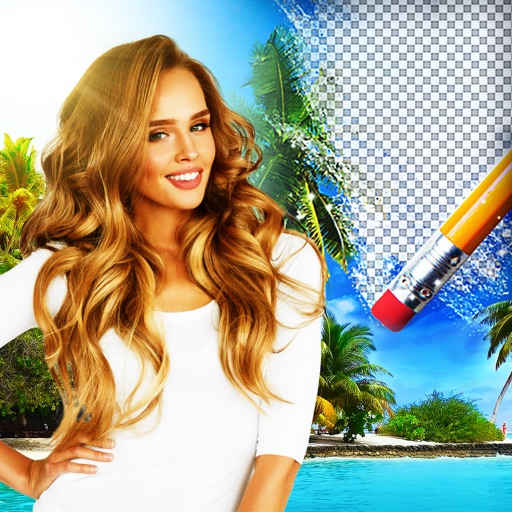
Remove backgrounds from photos using deep neural networks. Cut out people or objects and paste them into new images. Swap backgrounds and save edited images in various formats.
by Maxim Gapchenko★ 4.61,152 ratingsPhoto & VideoFreeData updated 2026-09-23
Create movies by combining short and rearranging them. Add multiple texts and background music from the or your own files. Adjust brightness, contrast, exposure, hue, and sharpen settings for each clip.
Create mood boards with customizable layouts and fonts. Choose background colors and add images from Google or Unsplash. Edit boards, export as PDF, and share via Instagram Story.
And edit photos with customizable size formats. Choose from square, portrait, or landscape. Add photos from the library and adjust their position, rotation, and size. Use the adjustments tool for precise edits.
Take photos using the camera or import images from the camera roll. Apply packs, filters, light leaks, and frame borders for instant effects. Edit photos in the in- Photo Lab with customizable adjustments. Save and view processed images within the .
Create collages by combining photos and videos. Generate AI-powered videos from text or images. Edit clips with trimming, filters, and transitions. Export videos for Instagram, TikTok, YouTube, Facebook, and Pinterest.
Backgrounds with a single touch. Replace backgrounds with any image. Apply blur to create a depth effect. Adjust clarity for better visibility. Export edited images directly.
Audio files between formats including MP3, AAC, WAV, FLAC, and more. Extract audio from videos. Transfer files via Wi-Fi. Import multiple audio and video files. Adjust advanced audio settings. Subscribe for full features.
Edit videos with keyframe effects, smooth transitions, and high-quality exports. Add motion graphics, visual effects, and animations. Share videos directly to social media. Track editing progress and adjust timelines for precise control.
With OCR capabilities allows users to , , and convert documents. Add, delete, or rearrange pages with highlighting and annotations. Convert images to PDFs by importing multiple files. Import PDFs from device storage for viewing and editing.
Remove objects, people, or distractions from photos using AI technology. Edit images to clean up backgrounds or eliminate unwanted elements. Save and share edited photos directly.
Allows users to create and manage shared calendars, schedule events, and set reminders. It includes a to-do list, countdown timers, and goal tracking features. Users can customize themes, fonts, and backgrounds.
Delete duplicate photos and find similar ones to remove. Group photos by location. Remove incomplete contacts and merge duplicates. Hide photos and contacts. Organize files to improve device performance.
Edit photos by removing backgrounds and replacing them with custom colors. Erase unwanted objects with a single touch. Adjust and enhance images for sharing on social media.
Edit photos with AI-powered retouch tools to airbrush skin, smooth wrinkles, and even skin tone. Whiten teeth with a swipe and highlight or soften features. Apply exclusive makeup looks with customizable options.
Edit photos to closed eyes using AI technology. Change eye colors with a variety of options. Swap eyes between individuals in portraits. Adjust and enhance eye details for artistic or corrective purposes. Export edited images in standard formats.
Edit photos by removing backgrounds using AI-powered . Select images from gallery or camera. Replace backgrounds with options from various categories. Blend foreground with chosen for natural results.
Backgrounds from photos using AI-powered erasing. Replace with empty, custom, or selected backgrounds. Edit images directly from gallery or camera. Export edited photos for sharing or further use.