Restore old photos with AI-powered tools to remove blur, noise, and colorize black-and-white images. Adjust clarity, contrast, and brightness. Export edited photos in various formats and share directly.
by 彦忠 范★ 4.812 ratingsUtilitiesFreeData updated 2026-09-23
Edit photos and videos with AI-powered tools for automatic enhancements. Adjust brightness, contrast, and colors. Add text, stickers, and filters. Export in various formats and share directly.
Capture and enhance photos using AI-powered editing tools. Adjust skin tones, remove imions, and apply romantic filters. Share edited images directly or save for later. Sync photos across devices and create custom collages.
Capture photos with retro film filters and camera styles. Import images or videos to apply classic effects like Koda F, Polaroid, and 90s DV. Adjust exposure, contrast, and color to match desired film tones. Share edited content directly.
Record and edit files using multitrack editing. Cut, trim, and split segments. Apply effects and use a professional equalizer. Mix tracks and export in various formats. Share edited files directly.
RAY INFORMATICS YAZILIM TEKNOLOJI MEDYA DANISMANLIK VE EGITIM TICARET LIMITED SIRKETI
, , and edit photos
Convert printed photos to digital format by scanning and colorizing them. Apply various templates and filters to enhance images. Save and share the edited photos directly.
Capture photos with a focus on natural colors and authentic light. Adjust exposure and white balance manually. Use -inspired profiles to enhance tones and contrast. Share images directly or export in high-quality formats.
Edit photos with one-tap enhancement for improved clarity and color. Restore and colorize old images to revive family memories. Convert photos into artistic styles or create new profile pictures using AI technology.
Backup and WhatsApp , including texts, photos, videos, and documents. Import WhatsApp conversations to create secure backups. View from backups. Restore lost data from saved conversations.
Edit photos with AI-enhanced upgrades, color balancing, and lighting adjustments. Retouch skin and remove blemishes automatically. Adjust exposure, contrast, and clarity with one tap. Export edited photos in high resolution and share directly.
Blur image backgrounds to create effects. Select photos from gallery or capture new images. Apply multiple blurring tools to adjust blur intensity. Export edited photos to device storage.
Add a to enhance images with dozens of beautiful and backgrounds. Choose from various background colors and filters. Adjust contrast, brightness, color temperature, sharpening, saturation, and color balance. Add text watermarks to photos.
Create ID photos using AI to remove backgrounds and add formal clothing. Edit images directly on your phone simple tools. Save and share the final result.
Apply filters from the 1920s to the 90s to photos and videos. Adjust filter intensity and color balance. Export edited content in multiple formats and share directly.
Edit photos and videos with AI-generated anime styles, including facial enhancements and background effects. Apply filters, adjust colors, and add animated elements. Export edited content in various formats and share directly.
AI-powered enhancements improve image clarity and resolution. Batch processing allows multiple edits at once. Edit history tracks changes made to photos. Export options include various file formats.
Edit photos with texture overlays and film effects. Add retro vibes, glitches, and grain. Adjust brightness and contrast. Export and share edited images directly.
Edit photos with AI-powered skin smoothing, makeup application, and filters. Adjust brightness, contrast, and saturation. Apply virtual makeup and try different styles. Export edited images in various formats and share directly.
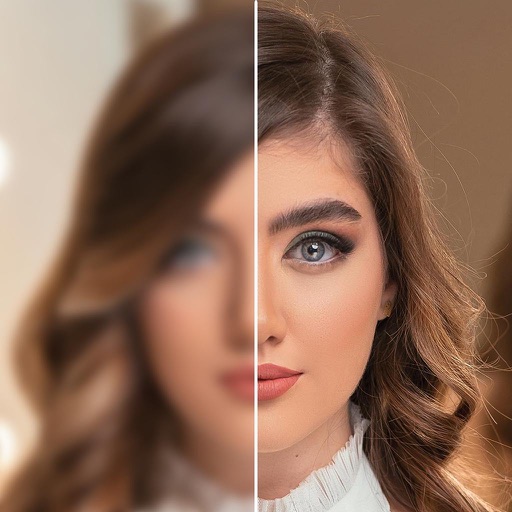
Enhance quality using AI to sharpen details and improve clarity. Colorize and unblur old or damaged images. Convert low-resolution photos to high-definition. Edit colors, adjust brightness, and remove noise. Save and share enhanced photos directly.