The app allows viewing native SolidWorks, eDrawings, and DraftSight files. Users can view models, access configurations, and use markup, measurement, and section tools.
Transfer files via SFTP and FTPS protocols. Upload photos and videos in native format with metadata. View image files in gridview. Support for private keys and secure connections.
Manage files with cloud storage access and network connectivity. View and edit documents, images, music, and videos. Compress or decompress files. Edit text and open/send files from other apps. Secure with passcode or Touch ID.
Manage business operations with electronic for quotations, invoices, purchase orders, work orders, service orders, meeting notes, and memos. Store and access directly on the iPhone. Retrieve critical information anytime, anywhere.
Edit images with filters, cropping, and adjustment tools. Resize images by setting width and height. Export multiple images as a single PDF file. Add text and stickers to photos. Save and share edited images directly.
Mark picture dimensions and add notes with customizable labels, lines, and fonts. Batch import and export images in PDF, JPG, or ZIP formats. Organize files into folders. Use a magnifying glass for precise .
View and manage documents including Microsoft Office, PDF, TXT, and ZIP files. Zoom, rotate, and annotate pages. Search text within documents. Share files via email or cloud services. Sync across devices.
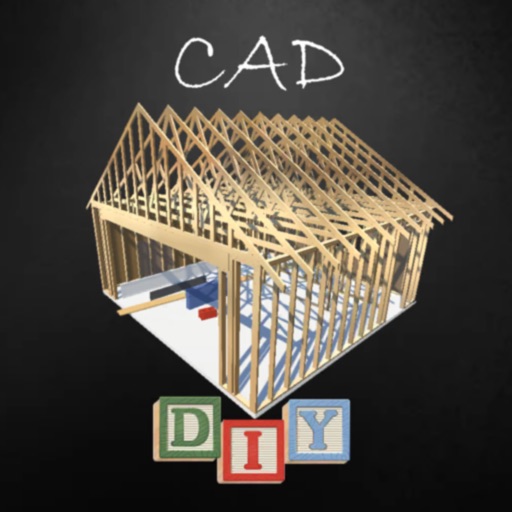
Create detailed 3D designs for projects using pre-built libraries of materials like wood and metal. Drag and drop components to assemble models. Export designs for fabrication or measurement. Track project progress and adjust dimensions in real time.
The app allows viewing native eDrawings files, SolidWorks parts, assemblies, drawings, DWG, and DXF files. It includes Augmented Reality (AR) to visualize 3D models in real-world scale and context.
Create pixel art sprites with drawing tools and a powerful engine. Open and edit pixel art files from Files. Use iCloud Drive for cloud storage. Support Apple for precise input. Import and customize color palettes.
Create 3D face scans for use with high-resolution mesh quality. Align scans with intraoral data for precise CAD integration. Export scans for use in software workflows.
Timer for event tracking with customizable date and time settings. Set repeat dates and notifications. Choose background color, image, text style, and placement. Organize events into folders. Calculate date, time, and time differences.