Objects in using finger gestures to draw and tag. Add text and comments in multiple colors. Use different line endpoints and angle tags. Include shape tags for precise markings. Save and share annotated images.
Personalize home screen with themes and wallpapers. Customize widgets by selecting from a library or creating your own. Arrange widgets to organize favorite apps and settings.
Track mood changes and set goals for peace and well-being. Practice yoga for beginners or advanced levels. Perform exercises for weight loss and fitness. Listen to relaxing sounds for stress relief. Log water intake and track habits with notes.
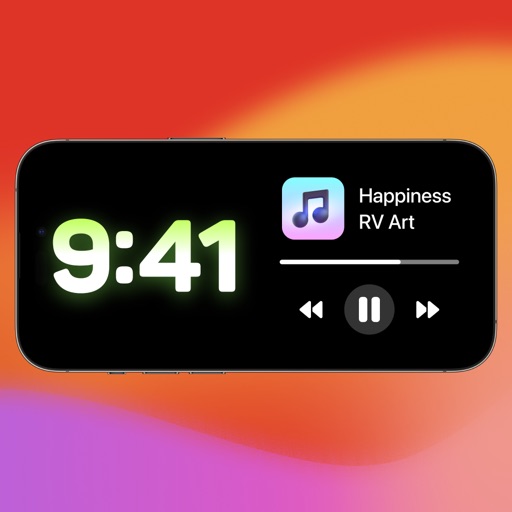
Customize mode with personalized widgets, icons, and themes. Set wallpapers, clocks, and weather displays. Choose from multiple themes and icon packs. Syncs with iOS 17+ for full functionality.
Displays media follower counts on the home screen without requiring login details. Users can add a widget by selecting a username. Some sources may need a purchase for full access.
Monitor website with iOS widgets. Test public and private sites, including IoT devices. Use small or medium widgets for frequent checks. Lock screen widgets available. Medium widgets support up to 2 simultaneous tests. Track up to 2 entries for free.
Track with a world map. Tap to mark locations and generate a personalized map. View travel progress, set future goals, and share achievements with others.
Faces between two photos by selecting them from the camera roll or camera. Process the and share the result. Use editing tools to crop, add images or text, draw, scale, rotate, and delete objects. Apply animations and customize colors.
Create from text using AI-generated melodies, harmonies, and rhythms. Choose genres and styles. Export tracks for video or band use. Adjust tempo and instrumentation. Share finished compositions directly.
Customize home screen layouts with drag-and-drop widgets. Choose from pre-made templates or create custom designs. Edit backgrounds, fonts, colors, and add weather, calendar, and time-zone tools. Sync widgets with iOS 14 and above.
Create and organize , reminders, and to-do lists across all Apple devices with iCloud sync. Customize with gradient colors and font styles. Add phone numbers, emails, and project details. Set checkpoints and manage tasks efficiently.
Track toward goals with history charts showing recent trends. Log achievements for distance, money, time, weight, and more. Add widgets to Home or Lock Screen. Use Siri shortcuts for quick updates. View detailed history and trends.
Identify crystals and stones by capturing or uploading photos. Use AI to determine the type of stone. Receive instant results. Learn about properties and characteristics.
Track expenses with categories and tags. Add notes and set dates. View financial summaries daily, monthly, yearly, or custom. Customize start day for monthly views. Backup data to iCloud and export records. Use biometrics or password for security.
Lets users create and customize for weather, forecasts, countdowns, time, date, battery, calendar, photo collections, and quotes. Users can select from pre-made designs or build their own with various widget types.
Custom enhance iPhone home screens with beautiful Full HD . Users can apply pre-designed themes, set up quickly, and enjoy 4K quality that work across all compatible devices.