The app provides a full mechanical CAD platform for professional users. It allows real-time collaboration and editing from any internet-connected device, simplifying data management for engineering teams.
Detect energy using a compatible imaging camera. Inspect and measure temperature differences. Visualize heat patterns indoors or outdoors. Save and share images. Set temperature alerts and calibrate devices.
View 3D models on iOS devices with pan, zoom, and orbit controls. Load files from local storage or cloud services via a built-in browser. Use AR mode to visualize models in real space. Draw annotations directly on 3D views.
The app captures and communicates interior progress with interactive 360° images assembled into a virtual project tour. All images are geo-tagged to align with the site plan, reducing site visits and preventing rework.
With language models locally on iOS and iPadOS devices. Load models directly into the for offline use. Interact with models without internet or server connections. No data is recorded or transmitted.
The app allows users to submit content from an iOS device to a Pharos secure print queue. Users can edit finishing options, preview documents, and manage print jobs.
View 3D models exported from software. Navigate through designs using virtual reality tools. Explore exterior, room, cross section, and floor plan views. Walk or fly through models to visualize home projects before construction.
The app generates random numbers with customizable options and speech synthesis. It offers a history of generated numbers and supports unique number generation, suitable for various selection needs.
Arthur Eduardo Skaetta Alvarez Desenvolvimento de Software LTDA.
View 3D models, rotate, zoom, paint
View 3D models in real time with rotation, zoom, and painting features. Simulate 3D printing to detect issues without using materials. Use AR mode to visualize models in real-world environments. Export and share models directly.
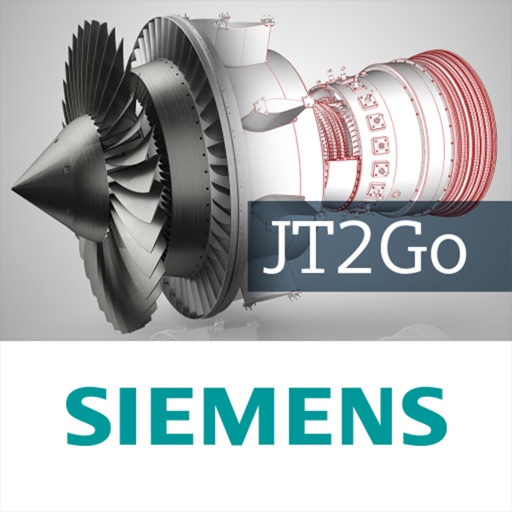
The app allows users to view and interact with 3D JT files on mobile devices. It supports navigation, interrogation of engineering and architectural models, and display of PMI with filtering.
Read books in , azw, and prc formats with full support for styles, chapters, tables, links, and footnotes. Navigate large documents efficiently with optimized performance.
Compress and optimize PDF files to reduce size. Compare original and compressed versions side-by-side. Reduce image and graphics-heavy files for faster uploads and lower storage use.
Generate professional texts using AI models. Create articles, social media posts, and other . Edit and refine with AI suggestions. Save and export final texts. Manage API keys locally for secure access.
The app provides access to the Service Champ auto parts catalog. It offers navigation by year, make, and model, along with a part search function that includes detailed specifications.