Adjust audio frequencies with a 10-band covering 60Hz to 16kHz. Apply real-time adjustments for bass, mids, and treble. Visualize audio with dynamic graphics. Import and play local files or stream audio directly.
Create bass-heavy sounds with a monophonic synthesizer. Adjust frequency ranges and apply mid/side processing for stereo imaging. Control low-end thickness and shape sub-bass tones. Export audio files and integrate with digital audio workstations.
Create and edit music using sampled Mellotron sounds from the 1960s. Access a library of instrument tapes including strings, choirs, and horns. Adjust pitch, volume, and effects. Export projects in audio formats and share files directly.
ToneBoosters displays real-time , spectrum, and goniometer visuals. It processes microphone input for audio analysis. Supports AUv3 plugin format for integration with compatible host apps.
Adjust audio with 12-bit resolution and customizable bandwidth for varying sampling frequencies. Apply a 6th-order low-pass Butterworth filter. Choose stereo or mono operation. Support AUv3 and Inter- Audio for integration.
Learn with real-time fingerboard interaction. Practice scales, save riffs, and jam to backing tracks. Choose between acoustic, fingered, or slap electric . Adjust settings for different playing styles and devices.
Adjust audio settings with Booster and Enhancement for improved clarity and depth. Play and pause media, adjust equalizer settings, and control playback from the home screen. Sync with devices for uninterrupted audio streaming.
Simulate guitar and bass amplifiers on iOS devices. Connect guitar via digital audio interface. Use IR Loader to load amplifier models. Build custom sound chains with amplifiers, cabinets, stompboxes, and processors.
Create and edit MIDI sequences with step sequencing. Control tempo, patterns, and effects. Transpose, manipulate, and mutate patterns. Trigger performance options via MIDI keyboard. Export and share MIDI files.
Adjust audio output with a built-in volume for louder, clearer . Control levels to enhance music quality. Use for headphones or speakers. Boost for parties or personal listening.
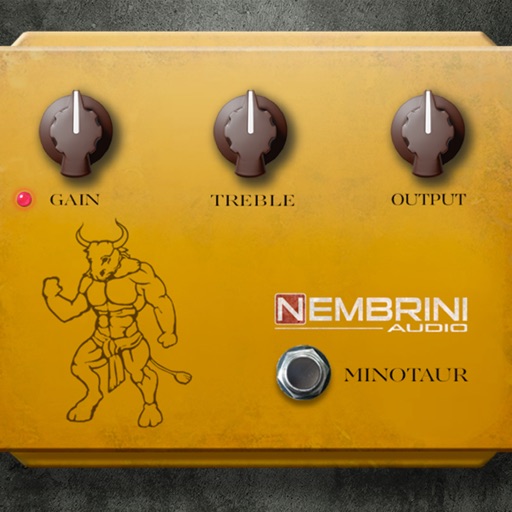
A guitar pedal simulation. Adjust gain, volume, and tone knobs to shape sound. Add clean boost with minimal tonal change. Drive input valve for enhanced signal. Supports pedal-like controls and real-time sound customization.
Audio plugin for music production offers EQ with linear phase, customizable waveshaper, signal generator, analog-style EQ, band splitter, brickwall limiter, and state variable filter.
Play music from cloud storage, local files, or radio stations. Enhance with a 10-band equalizer and boost. Access iTunes library instantly. Download tracks from Dropbox, Google Drive, OneDrive, iCloud Drive, or Wi-Fi.