Apps Like Overlay Video & Image Layers for iPhone and iPad
Edit videos and images with overlays
Create photo and overlays with adjustable . Add text over images or videos. Adjust transparency and layer sizes. Share final edits without watermarks. Supports within and within effects.
by Zain Ali★ 4.750 ratingsPhoto & VideoFreeData updated 2026-09-22
Create videos by selecting templates, adding images, and customizing text. Rotate images and use stickers. Share videos across platforms. Access trending content and new daily videos. Add personal signatures and edit clips with improved tools.
Create text stories and posts by splitting long text into images. Add text to video for TikTok. Choose from dozens of fonts. Customize size, alignment, color, line height, and kerning. Upload custom fonts. Export and share directly.
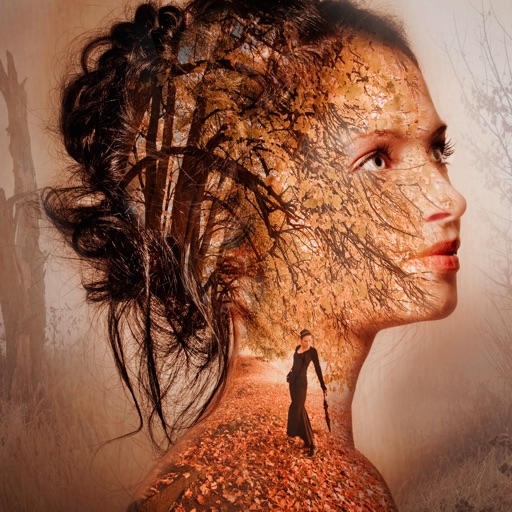
Edit photos by blending images from gallery or camera. Apply to merge pictures creatively. Adjust opacity and positioning for custom blends. Save and share edited photos directly.
Create professional-quality graphics by adding overlays, fonts, backgrounds, and filters to photos. Edit images with cropping and adjustments. Share designs directly to social media platforms.
Apply 800+ professional with themes like retro, vintage, and cyberpunk. Customize and use DNG feature for advanced editing. Add blockbusting overlays to enhance photos and videos. Export edited content in various formats.
Edit photos by selecting, cutting, copying, and pasting elements like faces or objects. Automatically remove backgrounds and add text overlays. Apply effects, save edits, and share photos directly.
Create photo using 200+ built-in templates. Add watermarks and text to photos. Resize images for Instagram. Customize with 100+ stickers. Save in high resolution. Apply custom frames. Adjust photo textures.
Edit videos by trimming, rotating, scaling, and flipping clips. Select frames and overlays to enhance visuals. Export full-size videos for Instagram and other platforms. Adjust orientation to match social media requirements.
Take photos in landscape or portrait mode or select from the Camera Roll. Adjust the size and position of the animated on the image. Watch the sprinkle dust and fly around the photo instantly. Upgrade to save the video version.
Activity across all apps and games. Stream video with HD quality. Add face cam for reactions and voiceovers. Edit videos with advanced tools. Share content directly to YouTube, Facebook, Instagram, and TikTok.
Create and share short videos as animated GIFs or MP4. Capture frames with the or import photos, videos, or Live Photos. Apply real-time color filters, add text or frames, and choose stop motion or video mode.
Create animated GIFs and stop motion videos with real-time rendering. Add, remove, and reorder frames during editing. Adjust speed, duration, and play mode. Add music and apply filters. Export and share finished projects.