Record video using front and rear cameras at the same time. View content in picture-in-picture mode. Animate scenes in real-time. Capture moving circles around the subject. Share videos directly from the .
by Yuliya Andrienko★ 4.647 ratingsPhoto & Video$2.99Data updated 2026-09-22
Edit photos with analog filters and real-time presets. Adjust brightness, contrast, and saturation. Add text, stickers, and borders. Share directly or save in multiple formats. Apply retro styles for nostalgic effects.
Turns iPhone or iPad into an HD for Windows PCs. Replace old webcams with higher quality video. Monitor babies, pets, or security areas remotely. Record videos directly to a PC without device storage limits.
Create and manage scripts for video recording or live streaming. Scroll text smoothly for natural delivery. Record video directly within the . Stream live content with real-time text display.
A retro simulates low-resolution image capture with vintage artifacts like bayer filter patterns, noise, and blooming. Users can pinch to zoom, adjust exposure, and export photos in JPEG format.
Edit photos with filters, cropping, and adjustments. Access portrait mode, double exposure, and manual settings. Scan high-resolution films. Share images via social media. Participate in photography challenges and view community submissions.
Scan local network cameras and view live feeds in real-time. Detect hidden cameras by scanning for unauthorized devices. Block or disconnect suspicious devices to secure your personal space.
Capture photos and videos with manual controls, exposure adjustment, and focus customization. Import and organize media from iOS photo library. Edit images with filters, cropping, and brightness adjustments. Share directly to social media or email.
Record video using front and back cameras simultaneously on iPhone XS and newer models. Capture footage with selfie and frontal view. Share videos publicly. Switch between front and back modes. Use flash light for both cameras.
Edit videos with trimming, splitting, and cutting tools. Add transitions, text, and stickers. Apply filters and effects. Export in high quality. Share directly to social media platforms.
Convert photos into sketches using up to six different image effects. Apply filters, adjust contrast, and save or share the edited images. Export in various formats and view before-and-after comparisons.
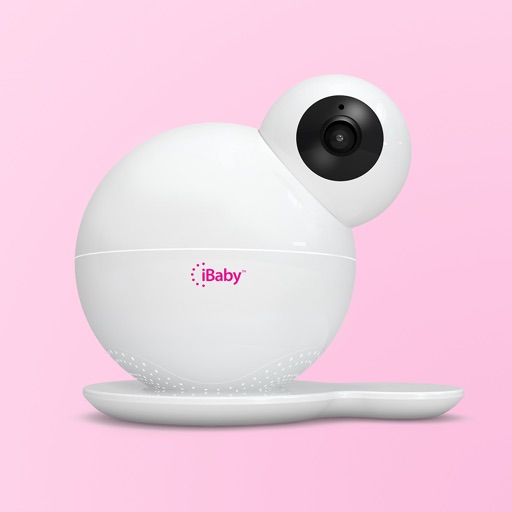
The app allows users to view live HD video streams from their iBaby monitor day or night. Users can play music, record stories, and speak with loved ones, while also capturing photos and video clips.
Take portrait selfies with front and rear camera switching via tap or shake. Use night mode for low-light shots. Auto mirror and timer functions available. Create grid collages with 1:1 and 4:3 layouts using 1 to 9 grids.
Create portraits with vintage photographic effects. Apply four styles including B&W, color, high contrast, and sepia. Adjust eye intensity, grain, and depth-of-field. Supports portrait mode for enhanced background blur.
View live streams from ONVIF, RTSP, and MJPEG cameras. Receive AI-powered motion detection alerts and recordings. Access feeds on iPhone and other platforms. Adjust settings for optimal performance across devices.
Take instant photos with virtual cameras and share them instantly. Capture multiple photos with friends. Photos are processed daily at 9am and become viewable afterward. Save and relive favorite moments anytime.
In 4K with adjustable settings. Stream to Twitch, YouTube, and Facebook via RTMP. Edit videos, add audio and text, convert to GIFs. Capture dual camera input and create facecam reaction videos.
Users receive a random alert once daily to capture a moment. They take a photo or video within one minute. Content is shared anonymously and displayed in a gallery.