Color the princesses and cute animals with interactive drawing tools. Select from various colors and brushes. Save and share completed artwork. Add stickers and backgrounds to enhance designs.
by Haneen Alfayoumi★ 1.01 ratingsEntertainmentFreeData updated 2026-09-22
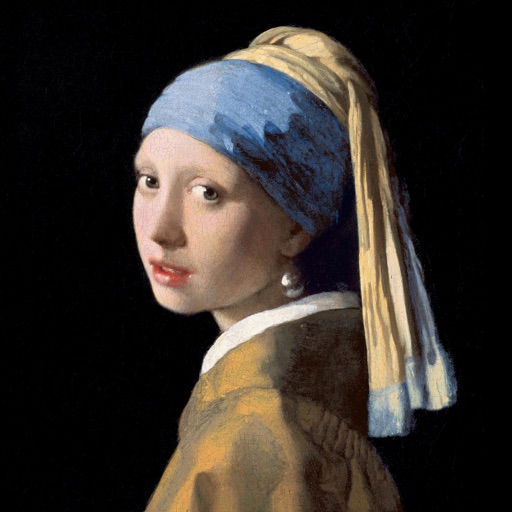
Color the art versions of famous paintings. Choose from a weekly updated collection of artworks. Remove ads and unlock unlimited through the Amuse Museum Club. Save and share completed drawings.
Create digital artwork with customizable brushes and adjust texture, shape, and paper quality. Import and export images in various formats. Access unlimited brushes and tools for free for 30 hours monthly.
Create artwork with realistic pastel simulation using live-calculated brushes and strokes. Sketch or paint digitally, test compositions, and refine techniques without physical supplies. Save and share paintings directly.
Edit photos with , cropping, and brightness adjustments. Add text, stickers, and borders. Export in various formats and share directly. Apply exclusive and enhance images with advanced tools.
The app presents the alphabet through four engaging puzzle games. It helps children learn letter shapes, names, and matching skills with animated animals and colorful designs.
Allows users to select from hundreds of free pages ranging in complexity. Users can create custom doodles and save or share their artwork. Features include real-time drawing tools, color selection, and page zoom.
Create and color images with customizable brushes and patterns. Select from various scenes and backgrounds. Save completed drawings. Access interactive elements to enhance creativity and learning.
Create artworks using custom palettes and handcrafted illustrations. Select from themed galleries including Mandalas, Animals, Flowers, and more. Choose schemes designed by artists. Save and share completed drawings.
Allows users to color pictures by numbers or custom designs. Users can select from various images, choose colors, and fill in sections to create artwork. Completed drawings can be saved or shared.
Kids can color illustrations with touch-screen tools, select from multiple colors and brushes. on provided templates, save or share completed artwork. Listen to sounds and animations, follow drawing lessons to improve fine motor skills.
Create digital art with a variety of brushes, layers, and color adjustments. Use an eraser for modifications and access reference avatars and sketches. Save and share completed artwork.
The app introduces children to a diverse animal world through interactive coloring. It teaches simple arithmetic, number recognition, and letter identification with various coloring modes suitable for different age groups.
Scenes and numbers with customizable tools. Select from various -themed images including Jesus and other religious figures. Save and share completed artwork. Adjust palettes and brush sizes for detailed painting.
Teach children to color with interactive pages. Select from various themes and colors. Add stickers and patterns. Save and share completed artwork. Include educational elements to enhance creativity and fine motor skills.
Play a visual novel-based romantic simulator where you date cute pet boys. Make choices that affect the story and its结局. Rescue animals and decide fate through interactive simulations and branching narratives.
Use AR to sketch and paint on paper. Select images from the built-in gallery. Position paper on a flat surface for accurate drawing. Draw over projected images with precision. Save and share artwork directly.
And help animals by feeding, cleaning, and treating them in a virtual . Play with pets and exotic animals in various locations. Access a pet clinic to for animals and learn about different species.
Allows users to select from 60+ illustrations. Choose from four realistic drawing tools including watercolor. Paint using artist-created patterns. Save and share completed pages.
Create using facial expressions. Capture and edit selfies to generate stickers. Add text or artwork to enhance designs. Share via iMessage and social media. Upgrade to Emoji Pro for advanced editing features.