Create immersive videos with AI-driven special and editing tools. Add transitions, animations, and text overlays. Import footage from iPhone or professional cameras. Export in various formats for social media and other platforms.
Create videos by selecting templates, adding images, and customizing text. Rotate images and use stickers. Share videos across platforms. Access trending content and new daily videos. Add personal signatures and edit clips with improved tools.
Create from photos, videos, or instant captures. Import from Tenor. Add text, stickers, and adjust speed. Share across social media and messaging apps.
Edit photos and videos with transitions, special effects, text animations, and filters. Sync content to trending music. Use pre-made templates. Share directly to TikTok, Instagram, Snapchat, and YouTube.
Edit videos by merging and combining clips, creating slideshows, and adding music. Apply filters and effects like Glitch, Retro, and VHS. Adjust tone with contrast and brightness controls.
The app offers over 290 filters in 17 themes, including analog film effects and disposable camera looks. It provides basic and professional editing tools, design features, and a pro camera with real-time filters and blur effects.
Allows trimming, cutting, and adding effects to videos. Collage lets arrange multiple photos into grids or layouts. Slideshow creates timed photo presentations with music. Photo offers filters, cropping, and text tools.
Apperto Bilgi Teknolojileri Ticaret Limited Sirketi
Create videos, stories, and reels quickly
Create videos, stories, and reels with drag-and-drop tools and pre-designed templates. Add text, stickers, and music. Export in various formats and share directly to social media platforms.
VideoCrop allows users to and cut clips. They can add text overlays and background music. The supports exporting videos in various formats and sharing them on social media platforms.
Create collages by selecting multiple images and arranging them in different grid layouts. Add frames from a collection of 100+ designs to enhance images. Build personal stories by organizing photos and sharing them directly.
Create movies and slideshows using photos and videos with background music. Apply filters, effects, and stamps to photos. Preview and share videos directly. Watch shared movies in a feed, follow friends, and view trending content.
Create videos by adding facecam reactions to recordings. Record and add voice commentary with adjustable volume. React to YouTube videos and publish on social media. Edit and enhance projects with built-in tools.
Create and edit videos using pre-designed with text, animations, filters, and music. Add effects and customize layouts. Export final videos in various formats.
Edit videos with trimming, splitting, rotating, flipping, reversing, deleting, and duplicating clips. Merge videos, photos, and live photos. Reorder clips as needed.
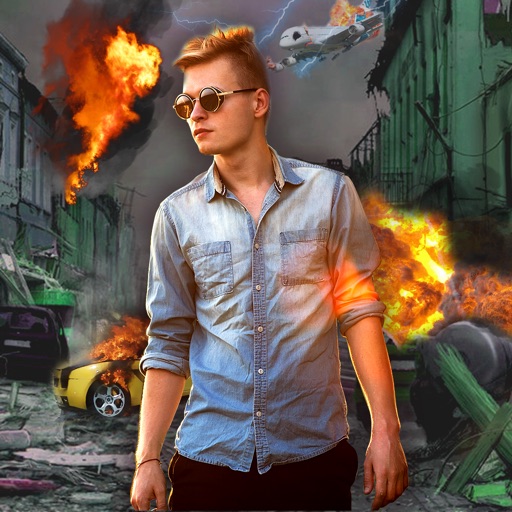
Edit photos with -themed effects like explosions, bomb blasts, and action stickers. Apply customizable FX frames and VFX filters. Decorate images to resemble posters. Share edited photos directly.
Trim and cut videos with precise editing tools. Add custom text, titles, and captions to videos. Apply filters to enhance mood and style. Edit clips for social media or longer projects with an intuitive interface.