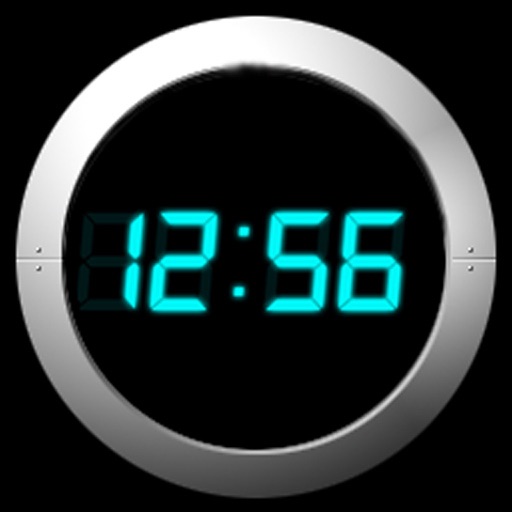
Focus on the clock with full-screen digital display, countdown, and timer functions. Customize UI themes and choose from white noise sounds. Include special firecrackers and fireworks animations for New Year’s Day.
by 飞剑 姚★ 4.667 ratingsProductivityFreeData updated 2026-09-22
Displays date, time, weather, calendar events, and notes on the iPad screen. Users can view upcoming meetings, check weather forecasts, and access notes without notifications or alarms.
Set alarms with from your iPod library. Choose multiple alarms and customize vibration settings. Enable weekday/weekend repeats and switch between digital and analog themes. Adjust colors and time/date settings.
Turn Bluetooth earphones into hearing aids with noise reduction for wind and footsteps. Amplify sound for greater distance. Automatically adjust based on hearing test results. Control volume and sound settings directly through the device.
Control connected devices to manage functions like sound, color, and alarm clock. Adjust FM channels and interact with smart home devices. Set and trigger alarms based on schedules or events. Sync devices for unified control.
Play or checkers on a customizable with free piece movement. Add or remove pieces and undo/redo moves. Rotate the or individual pieces. Save or load game positions and delete them by swiping. Use a configurable clock with adjustable time settings.
Utilities provides flashlight, compass, level, protractor, and clock for iPhone. iPad version includes ruler. Features include high definition design and full support for all devices.
The app displays a digital clock and calendar with an LCD style. It offers features like a monthly calendar, weather forecast, and customizable themes.
Track time with customizable countdowns and timers. Set reminders for specific durations. Adjust alarm volume and vibration settings. Monitor elapsed time and remaining time visually. Share countdown progress with others.
Track with a countdown timer up to 1 hour and a count-up timer for tasks. Set goals and monitor progress. Log activities, view spent, and analyze task durations. Sync across devices and receive notifications for scheduled tasks.
View calendar events as pie chart segments on a 12/24 hour clock face. Drag and resize events to adjust timing. Set reminders and receive notifications. Sync with multiple calendar sources. Share schedules with others via link.
Run multiple simultaneously to track different activities. Assign custom icons or titles to each timer for easy identification. Extend timer duration automatically without stopping.
The app displays the time with 140 style options, including 28 color themes and 5 color fonts. It offers 12 or 24-hour modes, portrait and landscape viewing, and customizable clock styles and status settings.
The app helps students visualize time for better productivity. It includes a digital display and a bar graph for younger children to understand remaining time.
Personalize with featuring photos, date/time, and alarm countdowns. Add and customize images with intervals and blur effects. Edit and arrange photos, set widget backgrounds via camera, and adjust fonts and colors.