
Photo GUN
Max Schlee
Edit thousands of photos quickly.
The app offers batch photo editing for thousands of images. It allows users to resize, enhance, add watermarks, crop, rotate, and convert images.

Frame images in squares
Create square frames using images from your photo library. Add multiple images to a frame. Change . Rotate, resize, and reposition images. Preview the final image. Save the completed image to your photo library.
Showing 421–440 of 1,000 ranked alternatives.
Max Schlee
Edit thousands of photos quickly.
The app offers batch photo editing for thousands of images. It allows users to resize, enhance, add watermarks, crop, rotate, and convert images.
SUB TRADE GLOBAL SAL OFFSHORE
Edit photos with effects and stickers.
The app offers photo editing with effects, frames, and stickers. Users can adjust brightness, contrast, color balance, saturation, sharpen, and blur images.


Patel Nishaben
Apply to photos and share them
Select a from the gallery or capture one with the camera. Apply various stylish and effects. Adjust position, size, and angle. Save, share, or upload the edited image to social media platforms.

Savita Yadav
Create new and share
Create new photo with HD quality effects. Add new wishes and . Share photos with friends and family. Customize with text and animations. Apply filters and effects to enhance images. Save and send edited photos directly.

Vaghani Keyur
Frame photos with holiday themes
Edit photos with holiday , background images, and overlays. Add text and decorations. Share festive creations via social media or email. Customize cards and images with seasonal themes.

Beijing Xingyue Zhiyuan Technology Co., Ltd.
Multiple photos in one frame.
The app offers over 200 frames for photos and supports multiple pictures within a single frame. It includes tens of photo filters and allows photo import from various sources.


Isabel Zaballos
Create collages with effects and frames
Edit photos into customizable grids with layout options, shapes, and frames. Add text and messages. Apply filters and effects. Stitch multiple images into a single composition. Export and share edited collages.


Patel Rikunj
Photos and share them online
Edit photos by selecting from the gallery or using the camera. Apply various frames and effects. Adjust position, size, and angle of images. Save, share, or upload photos to social networks like Facebook and Twitter.


chetna narula
Create collages with festive frames and text
Create collages with 100+ frames and pip. Add stylish text and cute stickers. Apply filters and adjust opacity. Flip photos horizontally or vertically. Include special photos with effects and frames.

Ashraf Samy
Create blurred frames for photos.
The app allows users to select a photo and create a blurred frame effect instead of cropping. Users can adjust the blur and fade effects and save the modified photo to their gallery for sharing.
Manani Jyotiben
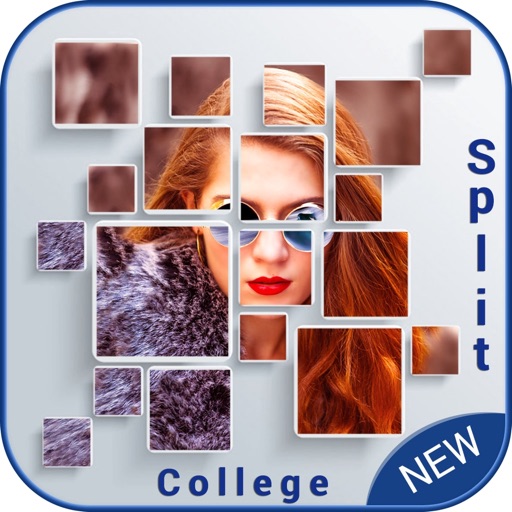
Create collages with filters and stickers
Create collages by selecting multiple photos and choosing from various layouts. Apply filters, add stickers, and include text to edit the . Generate 3D collages with different frames for a realistic 3D effect. Share the final directly.

differential enterprises
Turn video into message pixels.
The app transforms video frames into pixels or uses photos as pixels. It offers a 3D LED-style scroller for iPad with movie saving and sharing.

yukihiro fujita
Change photos to symmetrical images easily.
The app allows users to change a selected photo into a symmetrical image. Users can drag to edit, change the base side, and save their edited images.

Foobar Creative
Edit photos, crop, and post in order
Slice photos into smaller squares and arrange them in a specific order for Instagram. Users can select images from their library, crop them, and post the arranged slices to create a cohesive image.
Apps are ranked by functional similarity, category fit, rating confidence, and popularity.