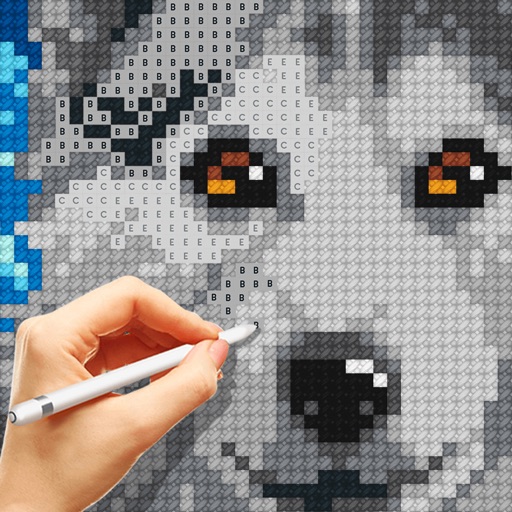
Create art and cross-stitch patterns with palette selection and gridline toggle. Use eraser, drag or tap to draw, and long press to fill. Trace images and export as files. Supports cross-platform creation.
by Harry Shamansky★ 4.1125 ratingsGraphics & DesignFreeData updated 2026-09-21
Documents, receipts, IDs, and books into high-quality PDFs. Save and share files securely. Edit scans with cropping and brightness adjustments. Organize and access scanned documents from your device.
Create art with a wax simulator that mimics real-life drawing. Adjust stroke size based on finger contact area for precise control. Draw thin lines with fingertips or broad strokes with full finger pressure.
Create images using AI without internet or subscriptions. Use prompts to generate art locally on your device. Access advanced models like SDXL and FLUX.1 for detailed outputs. Adjust settings for precise control over image creation.
Create art from sketches or text descriptions using AI. Upload drawings or describe images to generate artwork. Edit and export generated art in various formats.
Use AR to trace and recreate images by aligning with real-world objects. Adjust line thickness and color. Save and share drawings. Access tutorials for improving sketching techniques. Export in multiple file formats.
Create artwork using text prompts and style choices. Generate unique images in seconds. Explore various artistic styles. Save and share finished pieces. Edit and refine generated art.
Games allow users to select color by number puzzles and images by tapping colors. Features include on pages, recoloring existing artwork, and saving progress. Users can access pixel art books and sketch freely without internet connection.
Create drawings using augmented reality by tracing images projected through a smartphone camera. Access step-by-step lessons for various skill levels. Save and share drawings. Adjust brightness and colors for original artwork.
Children can draw using step-by-step templates in cartoon and kawaii style. They can choose colors, add stickers, and save their artwork. The includes guided exercises and a safe, child-friendly interface.
Backgrounds from photos with precision, save images with transparent backgrounds, or replace them with custom ones. Edit photos by adding filters, drawing, inserting text, and applying stickers to create professional images and social media content.
Create intelligent sketches and drawings with layer management. Add markup for communication. Work through all design phases with fluid tools. Support for architectural and industrial design workflows.
Edit images and videos by selectively recoloring elements. Extract objects, shapes, and text using tracing, magic eraser, and recoloring tools. Deform and extracted elements with distortion tools.
Create sketches and drawings using built-in brushes and canvases. Trace real-world images with AR technology. Save and share artwork directly. Adjust brush size and opacity for detailed work. Import images to base drawings on.
Edit photos with one-tap removal and object erasing. Apply creative effects, blur tools, and adjust details. Share edited images directly or save in various formats.
Create mandala paintings using vector-based tools. Zoom smoothly for precise details. Choose from various colors and brush styles. Save and share drawings directly. Adjust layer settings for customization.
Create and edit digital art with layers, brushes, and customizable tools. Import and export files in various formats. Access cloud storage for file syncing. Subscribe for additional features and materials. Save and export work after trial period.
Read, edit, create, and organize PDFs with annotation tools. Scan documents and convert to PDF. Summarize, generate content, and annotate across multiple files. Securely store and share PDFs without data collection.
Create illustrations, logos, and UI designs with precise drawing tools. Import and edit graphics. Organize projects in workspaces. Export in multiple formats. Collaborate in real-time with others. Adjust colors, shapes, and layers.
Create pixel art with automatic double pixel removal for precise line art. Use round, square, and matrix dither brushes. Draw lines locked to isometric angles. Create rectangles and ellipses. Manage layers for animated projects.