Create art and cross-stitch patterns with palette selection and gridline toggle. Use eraser, drag or tap to draw, and long press to fill. Trace images and export as files. Supports cross-platform creation.
by Harry Shamansky★ 4.1125 ratingsGraphics & DesignFreeData updated 2026-09-21
Create paintings from text descriptions using AI-generated art. Adjust colors, brush styles, and composition. Save and export images in various formats. Collaborate on projects with others in real time.
Photos with filters, adjustments, and effects. Apply blur, focus, and rotation. Add text, stickers, and draw on images. Crop, resize, and enhance photos. Remove blemishes and whiten smiles. Save or share edited images.
Edit images with blur, watermarking, and mosaic tools. Apply batch processing and circular brush effects. Adjust videos with blur, watermarking, and mosaic. Add music, stitch videos, and apply covers.
Create and edit pixel art with layers, filters, and animation tools. Adjust opacity and blend modes for complex compositions. Use high zoom levels for detailed work. Access color palettes and edit sprites for retro game design.
Remove unwanted people and objects from photos with a single tap. Manually trace and delete specific elements for precise edits. Erase facial blemishes and dark circles cleanly. Export edited photos directly.
Manage text with formatting and conversion tools. Edit images with cropping and filters. Convert audio and video files. View and edit documents. Diagnose network issues. Access developer tools for coding and debugging.
Create and edit digital paintings using pencil tools, brushes, and smudge features. Fill areas with color, add text, and draw shapes like lines and circles.
Create digital artwork from text prompts using AI- images. Choose from anime, realistic, or artistic styles. Edit and enhance images with a hand drawing tool. Save and share visuals.
Find and select colors using intuitive gestures. Save and share colors with their hex codes. Edit colors using a hex keyboard. Capture colors from images. Choose from themed palettes.
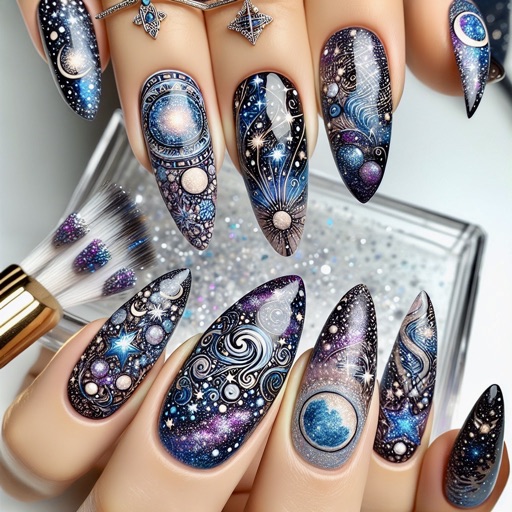
Create designs using AI-generated patterns and customize colors. Choose from various templates and adjust details. Save and share designs. Apply virtual art to photos or real nails via camera.
Draw on a using colored chalks with optional texture. Create unlimited blackboards with adjustable brush sizes and four background styles. Share drawings to Instagram.
Create AI artwork by entering text or uploading images. Choose from styles like anime, cyberpunk, and sketch. Earn free painting cards through daily check-ins. Edit and export generated art in various formats.
Convert photos into detailed patterns. Choose from full DMC color palettes for accurate thread colors. Edit patterns manually to adjust design elements. Save and share finished projects.
Save multiple name lists and teams. Tap to randomly select a name from the list. Use standard draw mode for quick random selection. Export results or share directly.